
One word. A place to pause.
Reading nook sign SVG.
Make room for a book.
Quiet Chapter is an original reading nook sign SVG with fixed READ lettering and an open-book motif. Two flat layers form a small sign: a stencil-cut front and a solid backing that shows through the openings. Your digital download includes both cutting files, an English assembly guide and a dimensioned cut map.
Letters with presence.
A bookish detail.
Geometric uppercase lettering gives the word READ a clear rhythm. Small stencil bridges keep the enclosed letter shapes attached to the surrounding front sheet. The book motif adds a visual invitation without another line of text.
Both layers share a rounded rectangular outline for alignment. Choose contrasting finishes to make the lettering stand out, or keep the palette restrained for a quiet corner of your home.
The illustrative mockup shows a possible finished result. This is a digital file product; physical signs, sheet material, finishes, adhesive, stands, frames and mounting hardware are not included.
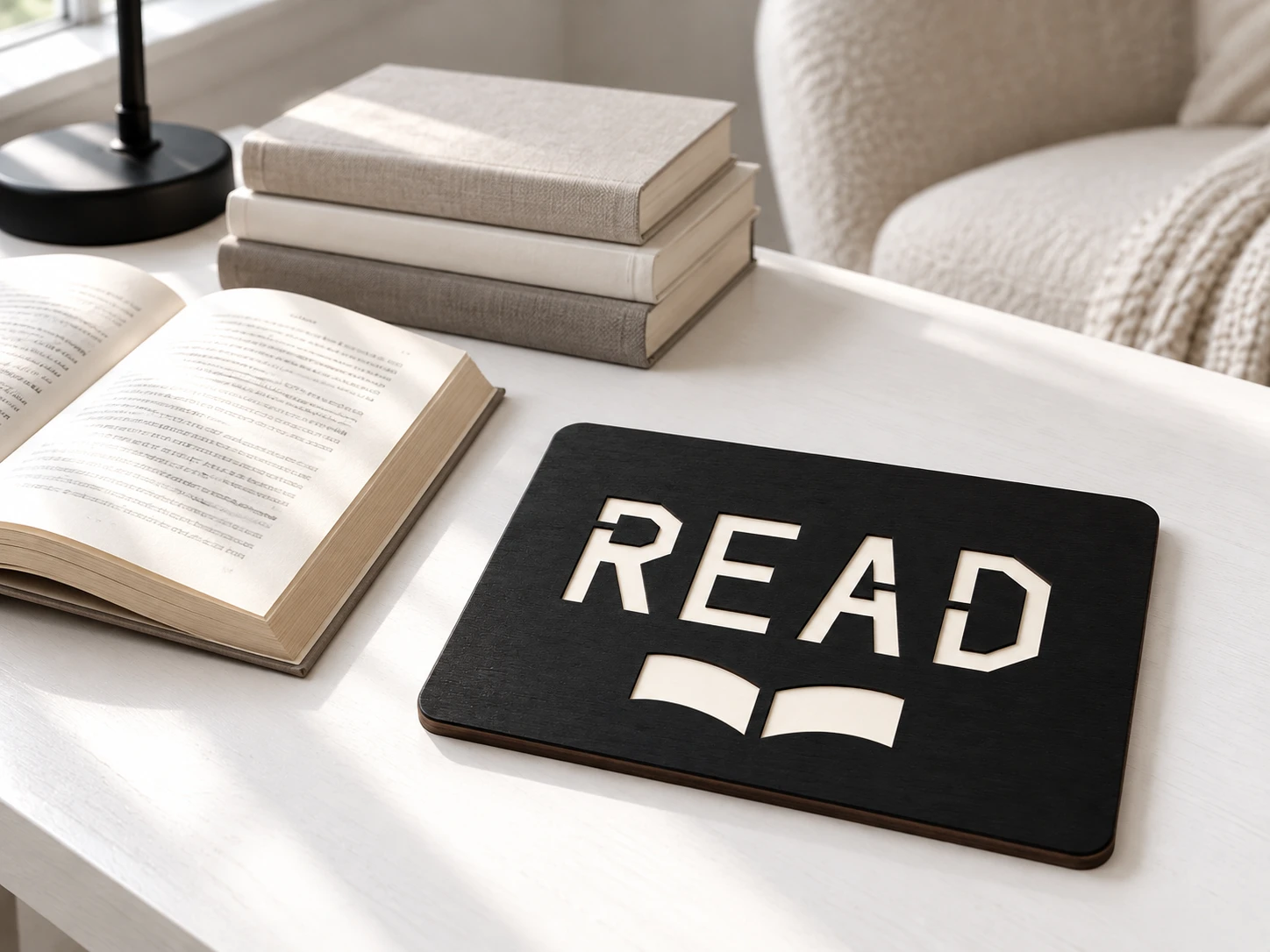
Two flat pieces.
A considered contrast.
| Included files | Two SVG cutting files, one English README and one dimensioned cut-map PNG in a ZIP archive |
|---|---|
| Nominal artwork size | Front and backing each measure 240 × 180 mm with a 10 mm corner radius, before kerf and finishing |
| SVG pages | Each page is 256 × 196 mm, including 8 mm margins around the cut outline |
| Lettering | Fixed READ artwork, drawn as vector cut paths; no editable font, alphabet or personalised-name option is included |
| Cut operations | Eight closed contours: seven in the front, including four letter and two book-page apertures, and one in the backing. Red (#FF0000), centered 0.025 mm cut paths; no engraving or scoring |
| Construction | One connected stencil front and one solid backing; no fonts, linked images or raster artwork in the machining SVGs |
| Stack depth | Front thickness plus backing thickness and adhesive; no fitted stand, hanging holes or mounting design is supplied |
| Product code | VD-QC-237 |
Check the letters.
Align the layers.
-
Import and preview
Confirm both cut outlines measure 240 × 180 mm. Set red paths to Cut and review internal openings before the outer boundary.
-
Test and finish
Test your approved material, kerf and finish on a prototype. Handle the stencil bridges carefully and keep bonding surfaces suitable for your adhesive.
-
Align and bond
Dry-stack the front on the backing. Match the outer edges, then apply material-appropriate adhesive only where solid faces overlap.
The design has not been physically cut, assembled or mounting-tested. No universal sheet thickness, power, speed or pass count is supplied. Make a prototype before production.
Good questions,
clear answers.
What will I receive?
One stencil-front SVG, one solid-backing SVG, an English guide and a dimensioned cut-map PNG. The PNG is a reference image, not a machining file.
Can I change the READ lettering?
The supplied reading nook sign SVG contains fixed vector artwork. It is not a font or an alphabet set, and no custom wording is included. Editing paths requires vector-design software and a new construction check.
Can I resize the sign?
Yes. Scale both layers together by the same factor. Resizing changes the letter bridges, openings and outer size, so inspect them and test a new prototype.
Preparing for Glowforge, xTool or Epilog
Glowforge: Upload each SVG, verify dimensions and assign Cut operations.
xTool Studio/XCS: Import the vectors and check actual size; Studio’s SVG import DPI can affect dimensions.
Epilog: Use suitable graphics software and the model’s driver/Dashboard, retaining centered 0.025 mm strokes.
Other CO₂/diode systems: LightBurn supports SVG import for compatible controllers. Use Line/cut operations rather than Fill. File import alone does not establish stock or machine suitability.
Which materials and display method should I use?
Use laser-approved sheet wood, or acrylic approved for your exact model and wavelength. Glowforge Aura/Spark guidance excludes clear, white and blue acrylic; xTool S1 guidance also lists transparent, mirrored and primarily blue materials among its limitations. The mockup finish is not a stock recommendation. Choose and test your own display support or mounting method for the finished material and weight.
Can I sell finished signs?
Yes. Personal projects and sales of physical signs you make are permitted. Reselling, sharing or redistributing the digital files, including modified versions, is not permitted.