A little geometry. A personal finishing touch.
Geometric earrings SVG.
Shape your own pair.
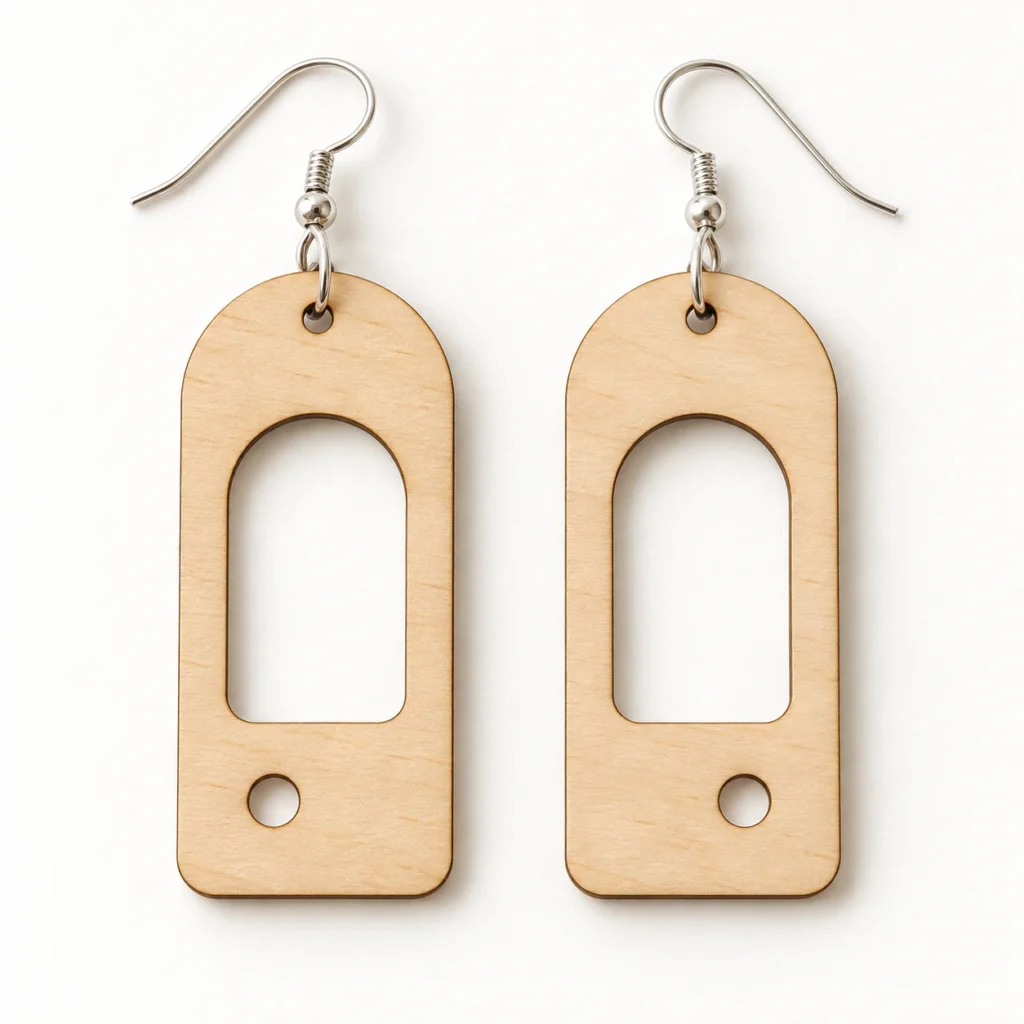
Arc & Orbit is an original geometric earrings SVG for laser cutting. Two mirrored dangle blanks combine an arched silhouette, an open arch window and an off-centre circular detail. Your digital download includes the vector file, an English making guide and a dimensioned cut map.
An open arch.
A small orbit.
A curved top and an elongated window give each blank its architectural character. The lower circle shifts from one side to the other across the pair, adding a measured asymmetry to this geometric jewellery design.
Each blank stays in one connected piece. Its arch window, orbit detail and hanging hole are cut through; there is no separate engraving or scoring artwork.
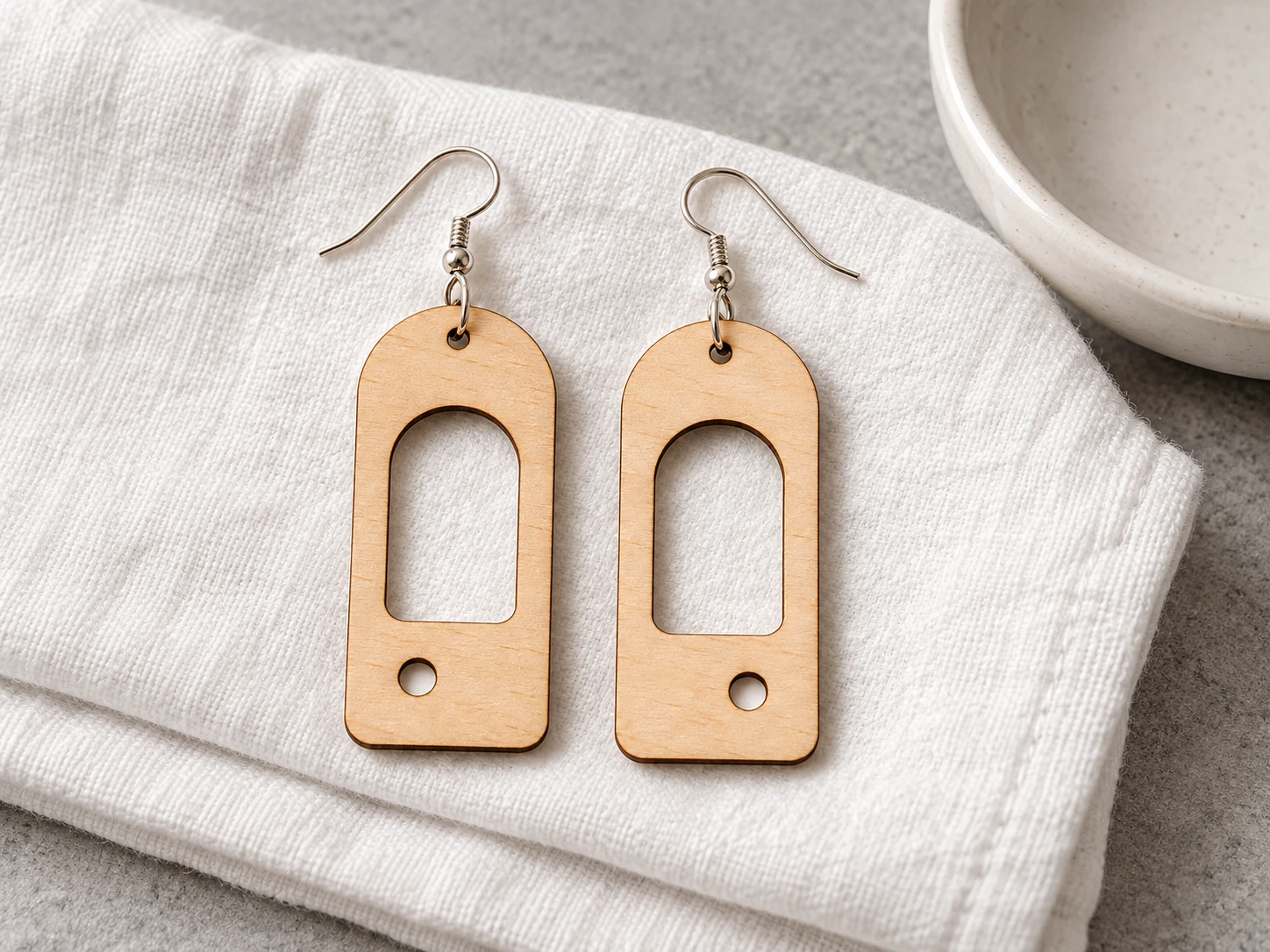
The product mockup illustrates a possible finished result. Physical earrings, hooks, jump rings, materials and styling props are not included.
Two blanks.
Your finishing choices.
| Included files | One SVG, one English README and one dimensioned cut-map PNG in a ZIP archive |
|---|---|
| Blank dimensions | Two mirrored blanks, each 18 × 42 mm before kerf and finishing; hardware adds to the finished drop |
| Openings | 1.8 mm hanging hole and 3.4 mm circular orbit opening on each blank, plus the main arch window |
| Flat layout | 50 × 48 mm SVG page; combined artwork bounds 42 × 42 mm with 6 mm between blanks |
| Cut operations | Eight red (#FF0000), closed 0.025 mm centered paths; no engraving or scoring operations |
| File construction | Plain vector paths; no fonts, linked images or embedded raster artwork in the machining SVG |
| Material and findings | Use laser-approved thin sheet wood, or acrylic specifically approved for your machine and wavelength; findings are not included |
| Product code | VD-AO-228 |
Check. Cut.
Finish with care.
-
Confirm the scale
Import the SVG and verify each blank is 18 × 42 mm with a 1.8 mm hanging hole. Set all red paths to Cut.
-
Test your material
Preview the job. Cut the internal openings before the outer silhouettes where your software allows ordering. Test the small holes and edges before making a batch.
-
Add your findings
Smooth and finish edges as appropriate for your material. Choose jump-ring wire that fits the actual cut hole, then attach your own hooks or other findings.
This design has not been physically cut, assembled or wear-tested. Power, speed, passes and a universal material thickness are not supplied. Material, kerf and finishing affect hole fit and strength; make a prototype before production.
Good questions,
clear answers.
What files will I receive?
One original geometric earrings SVG, an English README and a cut-map PNG. The PNG is a dimension reference, not a laser cutting file.
Is this a physical pair of earrings?
No. This is a digital design download. Finished earrings, sheet material, hooks, jump rings, tools and finishes are not included.
Will my hooks and jump rings fit?
The original hanging hole is 1.8 mm in diameter. Choose jump-ring wire that fits the finished hole and a ring whose inner diameter clears the top rim plus your sheet thickness. Kerf and finishes can change fit, so test your findings on a sample.
Can I resize the geometric earrings SVG?
Yes. Scale both blanks proportionally. Resizing also changes the holes, narrow sections and orbit openings, so review them and test a new prototype.
Preparing for Glowforge, xTool or Epilog
Glowforge: Upload the SVG and confirm all eight red paths are Cut operations.
xTool Studio/XCS: Import the SVG and verify each blank’s dimensions. In Studio, SVG import DPI can affect size.
Epilog: Open the SVG in Illustrator and send it through your model’s driver/Dashboard. Preserve centered 0.025 mm strokes and review vector settings.
Other CO₂/diode systems: LightBurn imports SVG for supported controllers. Use red Line operations, not Fill. Acrylic suitability varies by colour, composition and wavelength. Review the Epilog CO₂ material table for its listed material families. File import does not establish stock approval or universal machine compatibility.
Can I sell finished earrings?
Yes. Personal projects and sales of physical items you make are permitted. Reselling, sharing or redistributing the digital files, including modified versions, is not permitted.