A small pattern for the quiet season
A snowflake ornament SVG.
Made for winter.
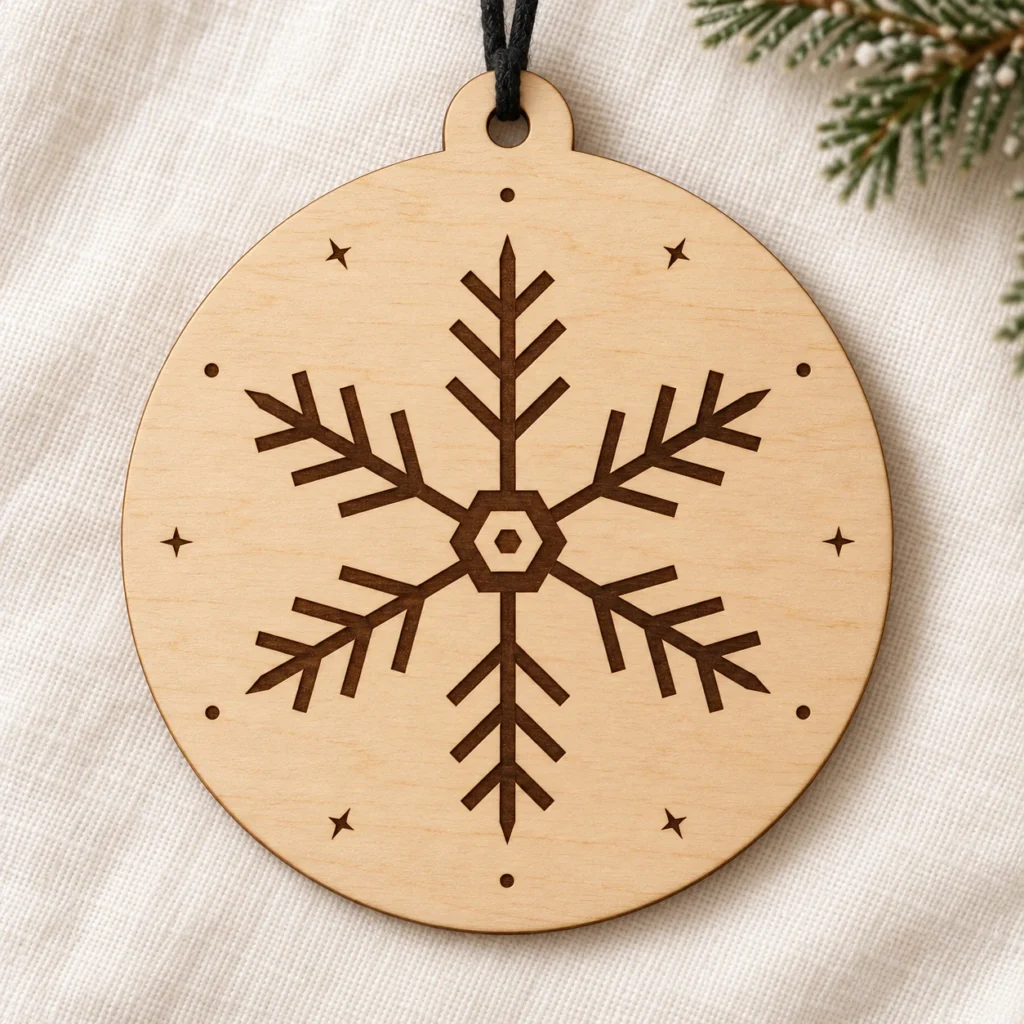
Winterlace is an original snowflake ornament SVG for laser cutting and engraving. The ZIP download includes one scalable SVG and an English setup guide. Its round face measures 100 mm across; the complete design is 100 × 110 mm, including the hanging tab.
Six arms.
A little winter light.
Six-arm geometry, small stars and dots give this round ornament a quiet winter rhythm for festive trees, handmade gifts and seasonal displays.
This is a single-piece ornament design. The snowflake and surrounding motifs are engraved on a solid face; only the outer silhouette and hanging hole are cut. The integrated tab provides a place for your own cord or ribbon.
The product mockup illustrates a possible finished result. Wood texture, cord and styling props are not part of the download.
A clear file.
A considered start.
| Included files | One scalable SVG vector file and one English README in a ZIP archive |
|---|---|
| Original dimensions | 100 mm round face; 100 × 110 mm overall, including the hanging tab |
| Hanging hole | 5 mm diameter at the original size |
| Cut operations | Two red (#FF0000), centered 0.025 mm cut contours (approximately 0.001 in): outer silhouette and hanging hole |
| Engrave operations | Black (#000000) filled vector artwork for the six-arm snowflake and decorative motifs |
| File construction | Separate CUT and ENGRAVE groups; no fonts, linked images or embedded raster artwork |
| Product type | Digital download only; no physical ornament or materials included |
| Product code | VD-WL-219 |
Open. Assign.
Test your material.
-
Check the dimensions
Import the SVG and confirm its 100 × 110 mm overall size and 5 mm hole.
-
Assign the operations
Set black artwork to engrave and red contours to cut. Engrave first, then cut the hole and outer silhouette.
-
Make a test piece
Choose your machine and material settings. Test fine details, engraving contrast and the hanging hole before making.
This design has not been physically test-cut or test-engraved. Machine settings and a required material thickness are not included. Software, material, kerf, speed and power affect results; no specific machine or software compatibility is guaranteed.
Good questions,
clear answers.
What files will I receive?
You receive one original snowflake ornament SVG with separate CUT and ENGRAVE groups, plus one English README, packaged in a ZIP archive.
Is this a physical snowflake ornament?
No. This is a digital design download. A finished ornament, wood, cord, tools and display props are not included.
Are the snowflake details cut out?
No. The snowflake and decorative motifs are black artwork for engraving. Only the outside silhouette and hanging hole are cut, keeping the design as one piece.
Can I resize the SVG?
Yes. Scale the complete design proportionally. Its original size is 100 × 110 mm with a 5 mm hole. Resizing changes the hole and small details too, so review and test them.
Preparing for Glowforge, xTool or Epilog
Glowforge: Upload the SVG using the Glowforge file workflow, then assign the black filled artwork to Engrave and the red outlines to Cut.
xTool Studio/XCS: Import the SVG and assign cut/engrave operations. In Studio, SVG import DPI settings affect size, so verify 100 × 110 mm.
Epilog: Open the SVG in Illustrator, then send it through your model’s Epilog driver/Dashboard. Preserve centered 0.025 mm cut strokes; review Epilog’s vector settings.
Other CO₂/diode systems: Laser type alone does not establish file compatibility. For supported controllers, LightBurn imports SVG; use red Line and black Fill operations. Preview, verify dimensions and test your material.
Can I sell finished ornaments?
Yes. Personal projects and sales of finished physical items you make are permitted. Reselling, sharing or redistributing the SVG, including modified digital versions, is not permitted.