A nostalgic shape for a handmade Christmas
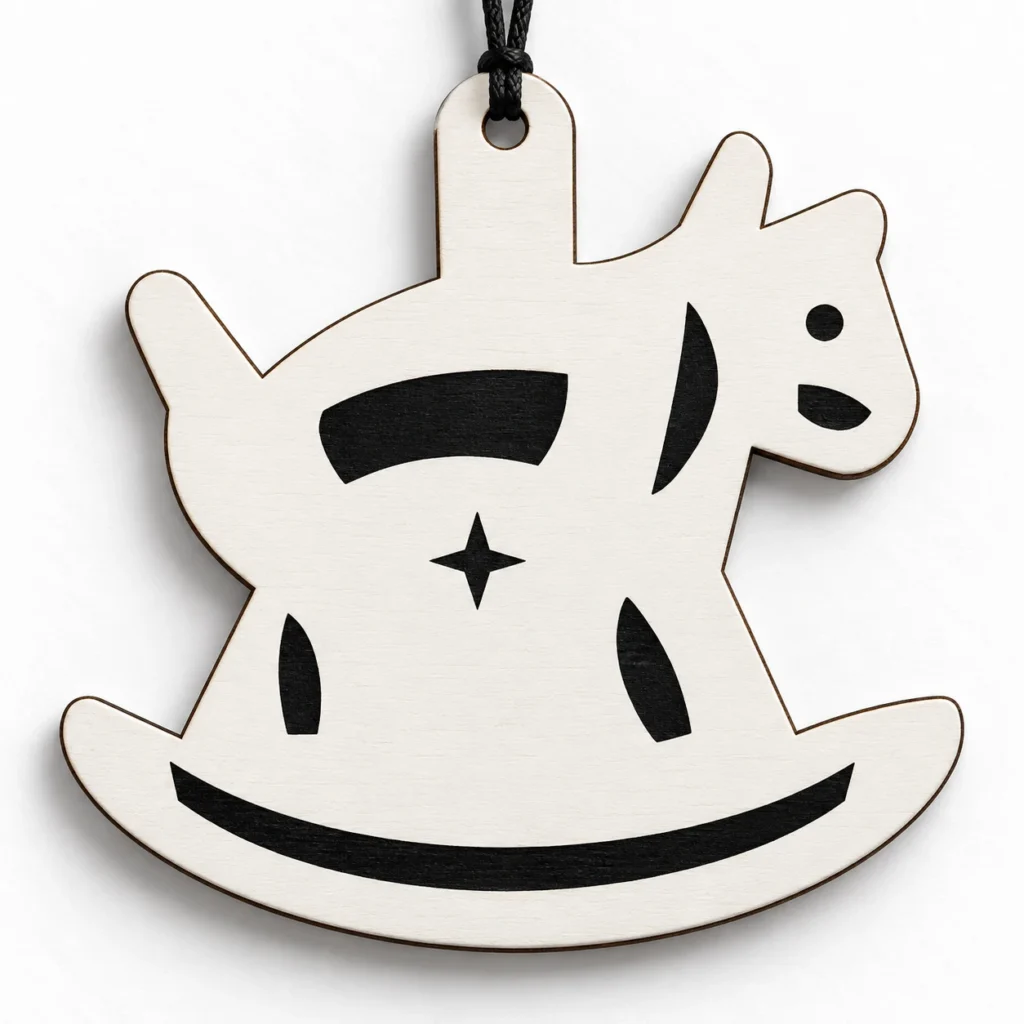
A rocking horse ornament SVG.
A little festive nostalgia.
Winter Gallop is an original rocking horse ornament SVG for laser cutting and engraving. The design is a rocking-horse silhouette with raised head, engraved saddle, broad connected rocker base and integral top hanging tab. The ZIP download includes one scalable SVG and an English preparation guide. Original size: 100 × 100 mm overall, including the integrated hanging tab, with a 5 mm hanging hole.
A horse in profile.
A curve beneath its feet.
Winter Gallop recalls the shape of a classic rocking horse in a still, decorative silhouette. The curved rocker and horse profile give it a recognisable rhythm for Christmas trees, seasonal branches and wrapped gifts. Engraved details add definition while leaving the piece open to your own material and finishing choices.
The horse, its supports, curved rocker and hanging tab form one connected flat piece. The interior detail is engraved. This pattern is for a hanging ornament; it does not create a moving rocking toy, load-bearing structure or three-dimensional rocking-horse assembly.
The images illustrate a possible finished appearance. A physical ornament, sheet stock, hanging cord and styling props are not included in the download.
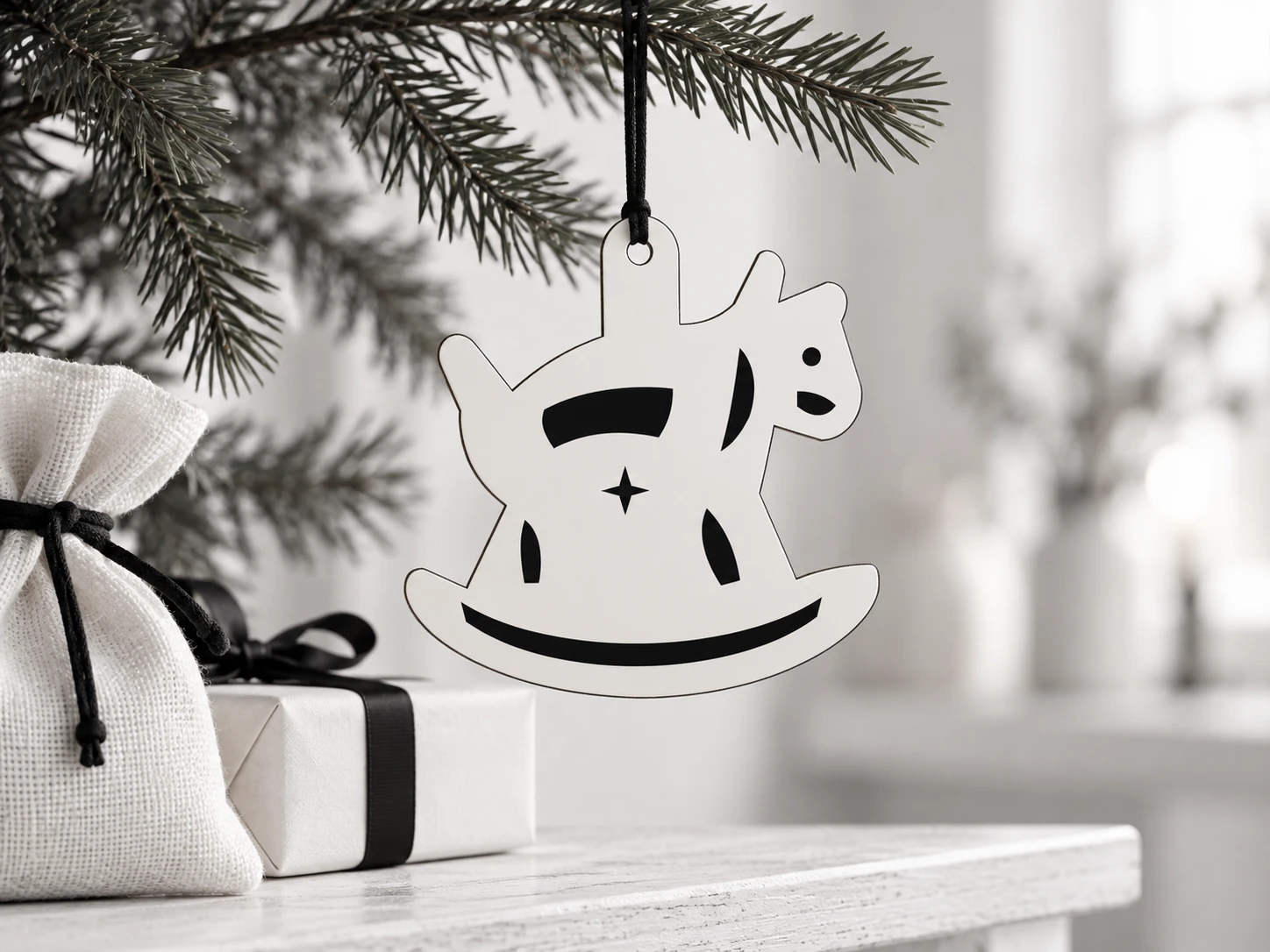
A connected shape.
A clear file to prepare.
| Included files | One scalable SVG vector file and one English README, packaged in a ZIP archive |
|---|---|
| Original dimensions | 100 × 100 mm overall, including the integrated hanging tab |
| Hanging hole | 5 mm diameter at the original size |
| Cut operations | 2 red (#FF0000), centered 0.025 mm closed contours: outer silhouette and hanging hole |
| Engrave operations | 8 black (#000000) filled paths: one eye, one muzzle mark, one mane, one saddle, one body star, two leg marks and one curved rocker band |
| File construction | Separate CUT and ENGRAVE groups; no fonts, linked images or embedded raster artwork |
| Construction | One connected flat ornament; interior artwork is engraved on its solid face |
| Product type | Digital download only; no finished ornament, cord, sheet stock or tools included |
| Product code | VD-WG-355 |
Confirm. Assign.
Test your own material.
-
Check the complete design
Extract the ZIP, import the SVG and verify its 100 × 100 mm overall dimensions and 5 mm hole before placing the artwork.
-
Separate the operations
Assign black filled artwork to engraving and the two red outlines to cutting. Engrave first, then cut the hanging hole before the outside silhouette.
-
Make a material sample
Inspect the connections between the horse and rocker, the hanging tab and the engraved details. Keep every part at the same scale and handle the complete silhouette carefully after cutting.
This design has not been physically test-cut or test-engraved. No universal material thickness, power, speed or pass count is supplied. Software, controller, material, kerf and machine setup affect the finished result.
Your Christmas project.
The practical details.
What files will I receive?
You receive one original rocking horse ornament SVG with separate CUT and ENGRAVE groups and one English README. The ZIP contains winter-gallop-horse.svg and README.txt. Extract the files before importing the SVG into supported software.
Will this make a working rocking horse?
No. Winter Gallop is a flat decorative SVG ornament pattern. The horse and rocker are a single fixed silhouette, with no moving mechanism or toy hardware. It is intended for decorative making rather than riding, play or load-bearing use.
Is a physical ornament included?
No. This is a digital SVG and English guide download. You provide the material, hanging cord, cutting or engraving equipment and any finish. The display images are illustrative, and the styling props are not supplied.
Can I resize this rocking horse ornament SVG?
Yes. Scale the complete design proportionally. The hanging hole, engraved marks and narrow connections also change size. Review the revised geometry, check cord clearance and make a new sample rather than assuming the original settings still apply.
How do I prepare the file for Glowforge, xTool or Epilog?
Glowforge: Upload the SVG in the Glowforge App. Check the dimensions and assign black filled artwork to Engrave and the red outlines to Cut. Review the job preview before processing.
xTool Studio/XCS: Import the SVG into software supported by your model. Studio’s SVG import DPI setting can affect scale. Verify the 100 × 100 mm outline and 5 mm hole, then assign engraving and cutting operations.
Epilog: Open the SVG in suitable vector software and use the driver or Dashboard workflow supported by your model. In Illustrator, retain centered 0.025 mm vector strokes. For CorelDRAW, follow your exact model’s hairline guidance. Review engraving and vector-cut separation in the job preview.
Other CO₂/diode systems: Where the controller is supported by LightBurn, import the SVG, assign red contours to Line/Cut and black shapes to Fill/Engrave, and check Preview. A laser source type alone does not establish software, controller or material compatibility.
Which materials should I choose?
Use laser-approved stock suited to your exact equipment and wavelength. Acrylic suitability depends on its colour, composition and laser source; clear acrylic and some colours are unsuitable for many diode workflows. Consult Glowforge material guidance or your manufacturer’s own material list. Never process PVC, vinyl, unknown coatings or prohibited stock. Follow ventilation and supervision instructions and test your chosen material.
Can I sell physical ornaments I make?
Yes. Personal projects and sales of finished physical items you make are permitted. Do not resell, share or redistribute the digital files, including modified digital versions. Full usage terms are included in the README.