A gentle haunt. A little autumn character.
Halloween ghost ornament SVG.
A quietly playful presence.
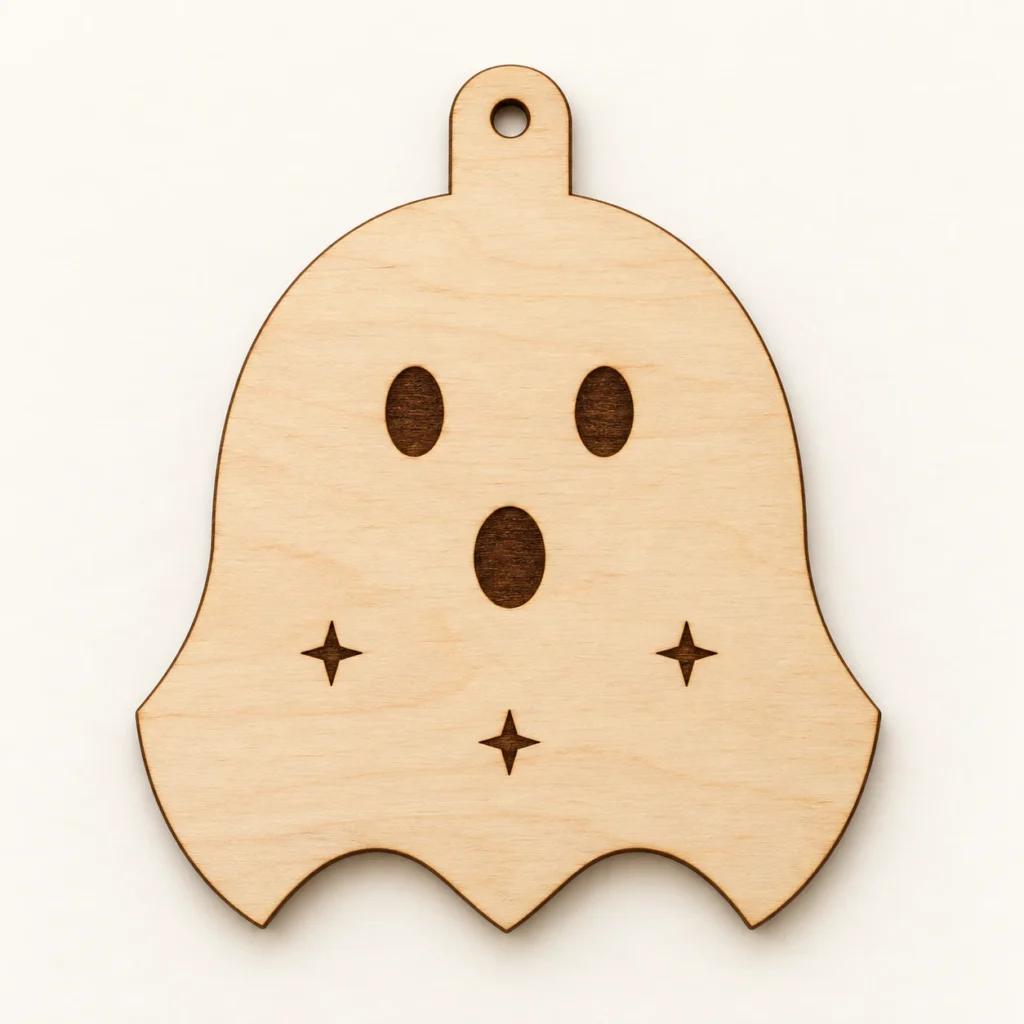
Hush & Haunt is an original Halloween ghost ornament SVG for a single flat hanging decoration with engraved facial details and sparks. The nominal vector outline is 100 × 120 mm, including the top tab, with one 5 mm hanging hole. Includes one SVG and an English laser-preparation guide. Digital files only.
A flowing outline.
A face with a little surprise.
Hush & Haunt gives a familiar Halloween ghost a simple, sculptural outline. A rounded head flows into broad sides and three low points. Two oval eyes, an oval mouth and three four-point sparks create its expression, making a small seasonal companion for a display branch or a Halloween arrangement.
All six decorative shapes are filled surface engravings on solid material. The eyes and mouth are not holes, and the three sparks do not cut through the face. One continuous outer silhouette includes the top hanging tab; the only other cut contour is the circular hanging hole. There are no separate arms, movable fabric or assembly pieces.
The images illustrate a possible finished appearance and setting. Digital SVG and English guide only; finished ornaments, material, cord, tools, finishing supplies and styling props are not included.
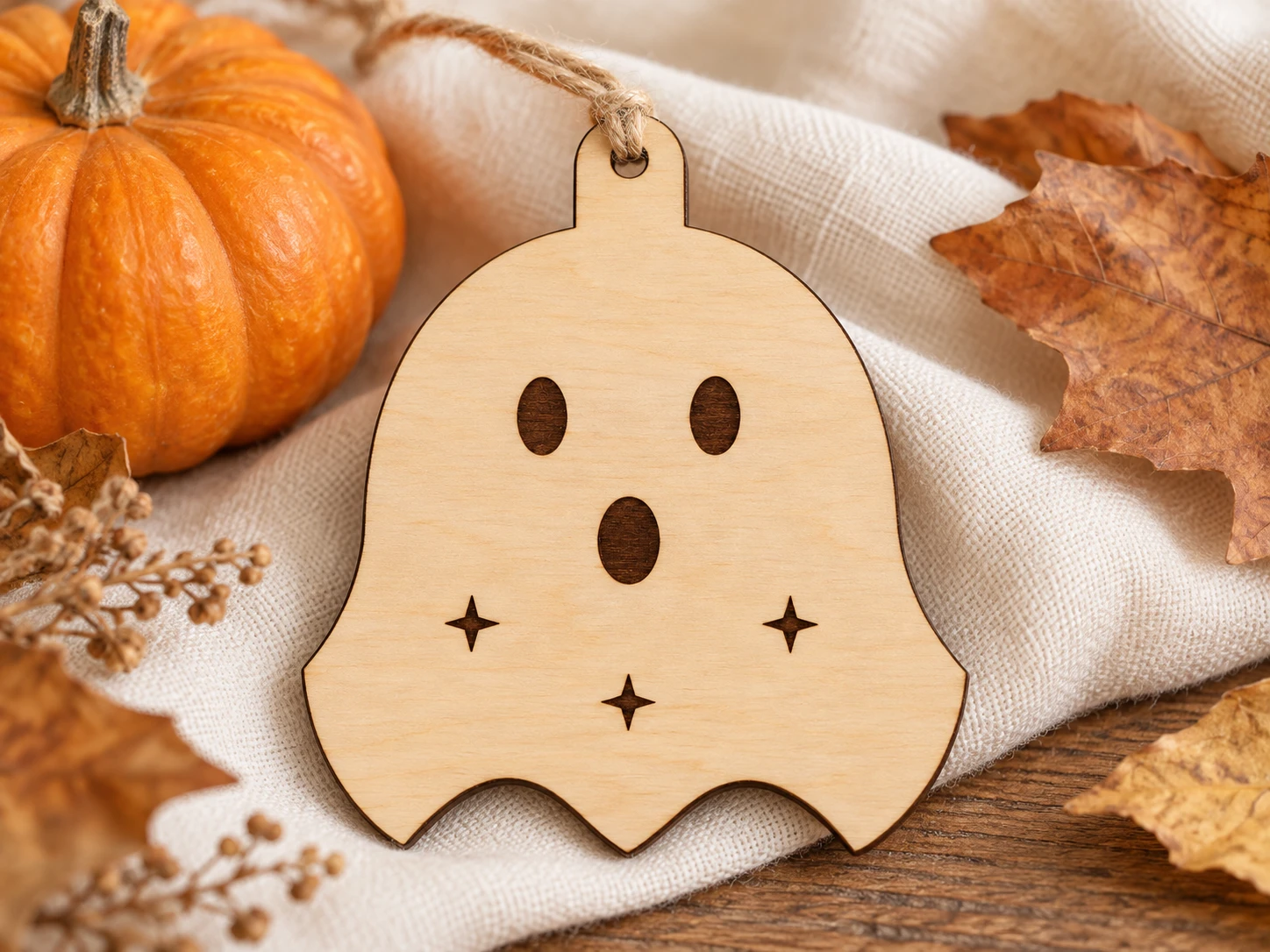
One continuous ghost.
Six surface engravings.
| Download | ZIP containing exactly two files: hush-haunt-halloween-ghost.svg and README.txt |
|---|---|
| Nominal vector outline | 100 × 120 mm including the integral hanging tab; path-centerline dimensions before kerf and finishing, not a guaranteed finished size |
| Hanging hole | One 5 mm circular hole at the supplied size; centered at x=50 mm, y=7.5 mm. Check the finished hole before selecting your own cord. |
| Construction | One flat solid piece. No decorative cutout openings, separate layers or assembly parts. |
| Surface decoration | Two oval eyes, one oval mouth and three four-point spark marks (6 filled shapes). |
| Operations | 2 red (#FF0000), unfilled closed cut paths with centered 0.025 mm strokes: outside silhouette and 5 mm hanging hole; 6 black (#000000), closed filled surface-engraving paths without strokes. No fold or score paths. |
| Material | Only identified sheet stock confirmed suitable by its manufacturer and your exact laser/wavelength instructions; no universal stock thickness or machine settings supplied |
| File construction | Closed path-based SVG with dimensions in mm. No live fonts, raster or linked images, transforms, masks or filters. |
| Product code | VD-HH-HG |
Give the shape its detail.
Release the silhouette last.
-
Check the import
Extract the ZIP and import the SVG at 100%. Verify the nominal 100 × 120 mm outline, the 5 mm hole and both operation groups. Choose stock approved for your exact laser and confirm the usable bed and focus requirements.
-
Engrave before release
Assign all 6 black filled shapes to surface engraving, and the two red unfilled contours to cutting. Inspect the preview and establish settings on a scrap. Where supported, engrave first, cut the hanging hole next and release the outer boundary last.
-
Finish the single piece
Keep the facial details assigned to surface engraving rather than cutting. After processing and any suitable finishing, add your own cord through the finished hole. No separate arms or layers need assembly. Make a complete prototype and check the actual hole, edges and intended hanging arrangement before producing a batch.
This design has not been physically test-cut or test-engraved. Results depend on the actual software, machine, material and settings. Test a scrap, then make a complete prototype before producing a batch; no universal laser preset is supplied.
Before the haunting.
Answers for the workbench.
What files will I receive?
The ZIP contains exactly hush-haunt-halloween-ghost.svg and README.txt. The SVG combines the two red cut contours and 6 black filled engraving shapes in separate named groups. The English guide covers dimensions, preparation, conditional machine workflows and usage terms. No alternate formats, machine presets or physical goods are included.
Is this a finished ornament or a digital download?
This is a digital download only. The images are illustrative displays of a possible result. You supply the material, machine, suitable cord and finishing supplies. There are no finished ornaments, props or tools in the download.
What size is it, and does it need assembly?
The nominal vector outline is 100 × 120 mm, including the integral hanging tab, with one 5 mm circular hanging hole. These are path-centerline dimensions before kerf and finishing. The design makes one flat solid piece with surface engraving and no separate layers to assemble. A flat Halloween hanging decoration. The eyes, mouth and sparks are engraved on a solid face, not cut openings. The flowing sheet silhouette is one solid connected piece with no movable fabric, separate arms or assembly.
How do I prepare it for Glowforge, xTool, Epilog or another laser?
Glowforge: Upload the SVG in the app supported by your exact model. Verify 100 × 120 mm and the 5 mm hole. Assign black filled shapes to Engrave and both red contours to Cut. Inspect the preview and use settings established for your approved stock.
xTool Studio / XCS: Import the SVG using the software supported by your model. Studio SVG import DPI and XCS automatic resizing can affect dimensions. Verify the physical size; explicitly assign red to Cut and black filled decoration to Engrave, then inspect the preview.
Epilog: Open the SVG in supported vector graphics software and use the driver or Dashboard for your exact model. For the documented Illustrator-to-Dashboard route, retain centered cut strokes no wider than 0.025 mm and confirm vector recognition. Keep black filled shapes assigned to engraving. This is a conditional software route, not universal direct SVG machine import.
Other CO₂ or diode equipment: Confirm controller/software support. On supported LightBurn systems, import the SVG, verify dimensions, map red contours to a tested Line cut layer and black closed decoration to a tested Fill engraving layer. Check the preview, operation order, usable bed and stock approved for the exact machine and wavelength. SVG import support does not establish material compatibility.
Which material and laser settings should I use?
Choose only identified stock approved for the exact machine and laser wavelength. Custom-material settings need their own checks; a familiar material name or a display photo does not establish suitability. No universal stock thickness, power, speed or pass count is supplied. Follow your maker’s current exhaust, supervision and fire-safety instructions. This design has not been physically test-cut or test-engraved. Results depend on the actual software, machine, material and settings. Test a scrap, then make a complete prototype before producing a batch; no universal laser preset is supplied.
Can I resize the ornament?
Scale every path together and preserve their alignment. Resizing changes the hanging hole, bridges and engraving details as well as the outline. Check the new physical dimensions, preview every operation and make a fresh prototype in your actual approved stock. Select cord for the finished hole rather than the nominal vector diameter.
May I sell finished items made with this design?
Yes. Personal projects and sales of finished physical items you make are permitted. Do not resell, share, give away, sublicense or redistribute the SVG, guide, modified digital files or digital parts, including in digital bundles or shared libraries. The English README contains the usage terms; copyright ownership is not transferred.