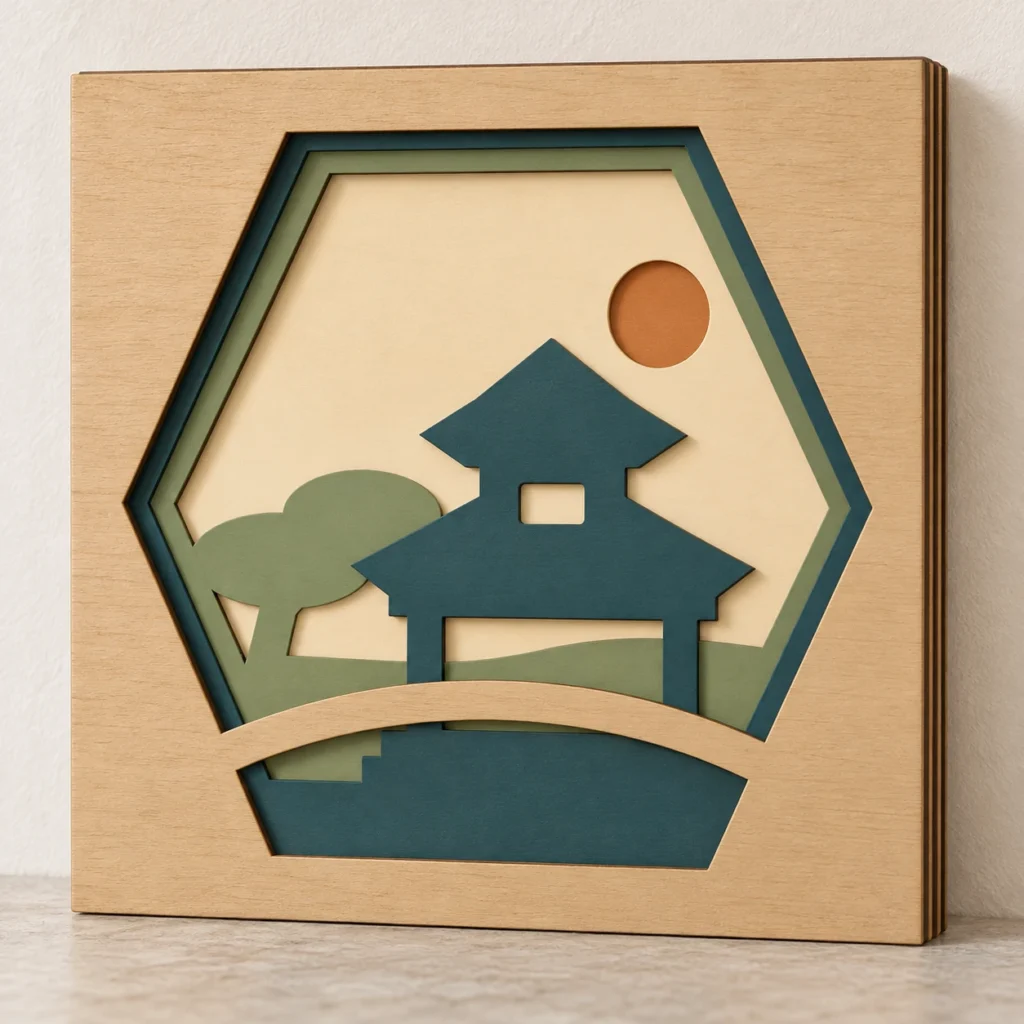
A sheltered pause. A garden in layers.
Pavilion shadow box SVG.
A quiet place within the scene.
Serene Pavilion is an original pavilion shadow box SVG for a five-panel layered artwork. Four decorative cut panels sit in front of a solid backing, each 180 × 180 mm before kerf and finishing. The ZIP includes five individual SVGs, an alternative combined layout, an English preparation and assembly guide, and two reference PNGs. Use the individual files for most machines and confirm the actual outer square after import.
A tiered silhouette.
A garden with breathing room.
Serene Pavilion imagines a tiered garden structure within a calm layered landscape. Broad architectural forms give the scene a steady focal point, while the cut openings and stacked panels create depth. Keep the wood grain visible or choose approved finishes for your own quiet composition.
A six-sided garden viewing window and broad curved bridge silhouette across the lower foreground; An original two-tier garden pavilion with broad upturned roof edges, two posts, a floor plinth and one small upper window aperture; The lower pavilion room remains open between its posts; the roofs and posts are integral to one connected sheet; A broad bonsai-inspired rear tree and hill sit to the left, with a round sun aperture at upper right. Decorative forms remain connected within their panel. There are no separate floating pieces to position; handle narrow features with care and make a complete prototype in your chosen stock.
The images illustrate a possible finish and display. Physical artwork, sheet stock, finishes, adhesive, frames, spacers, lighting, mounting hardware and styling props are not included.
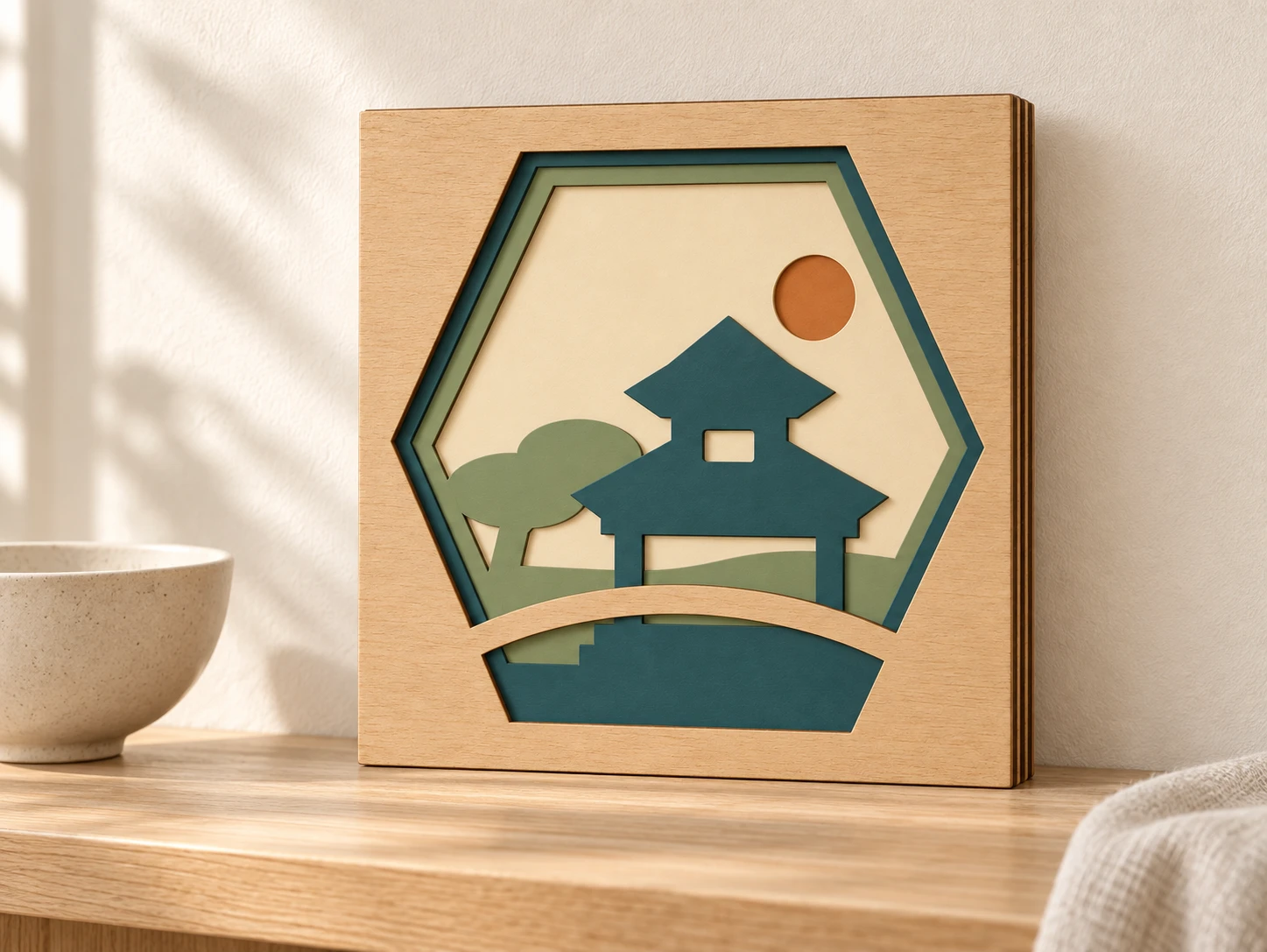
Five layers.
A clear plan for making.
| Included files | Five individual SVG cutting files, one alternative combined-layout SVG, an English README, a labelled layer-map PNG and an assembly-reference PNG, packaged in one ZIP archive |
|---|---|
| Panel size (W × H) | 180 × 180 mm per panel, before kerf and finishing |
| Construction | Five square panels: four decorative cut layers and one solid backing; align the shared outer square edges |
| Individual SVG page | 192 × 192 mm, with 6 mm margins; the actual cut square is 180 × 180 mm |
| Optional combined layout | 576 × 384 mm page; 564 × 372 mm cut-contour extents; 12 mm panel gaps. This repeats the same five panels |
| Cut operations | 13 red (#FF0000) closed contours per complete five-panel set: five outer squares and 8 internal openings; centered 0.025 mm strokes, no fill |
| Other operations | Cut only; no engraving, scoring, fonts or raster artwork in the machining SVGs |
| Design details | A six-sided garden viewing window and broad curved bridge silhouette across the lower foreground; An original two-tier garden pavilion with broad upturned roof edges, two posts, a floor plinth and one small upper window aperture; The lower pavilion room remains open between its posts; the roofs and posts are integral to one connected sheet; A broad bonsai-inspired rear tree and hill sit to the left, with a round sun aperture at upper right. |
| Selected dimensions and counts | Upper pavilion window bounds: 14 × 9 mm nominal bounding box; Pavilion post width: 8 mm nominal; Foreground bridge width: 8.4 mm nominal; Tree trunk width: 8.4 mm nominal; Sun aperture diameter: 22 mm nominal |
| Layer order, front to back | 01 Bridge Frame → 02 Tiered Pavilion → 03 Garden Hill and Tree → 04 Sun Sky → 05 Solid Backing |
| Material planning | Laser-approved thin sheet wood is the starting point. Choose stock approved for the exact machine and wavelength; no universal thickness is required |
| Stack and display depth | With uniform sheet thickness t, the five panels alone total 5t. Add adhesive/finish allowances and the sum of any four optional gaps. No frame, spacer or mounting files are included |
| Product type | Digital download only; no physical artwork, stock, finish, adhesive, lighting, frame, hardware or props |
| Product code | VD-SP-SB |
| 01 · Bridge Frame | 3 closed cut contours; 2 internal openings |
|---|---|
| 02 · Tiered Pavilion | 4 closed cut contours; 3 internal openings |
| 03 · Garden Hill and Tree | 3 closed cut contours; 2 internal openings |
| 04 · Sun Sky | 2 closed cut contours; 1 internal opening |
| 05 · Solid Backing | 1 closed cut contour; 0 internal openings |
Cut each panel.
Bring the layers together.
-
Choose the files and verify scale
Extract the ZIP and use the five individual SVGs or the alternative combined layout. Confirm every actual outer square is 180 × 180 mm, keeping all layers at the same scale and orientation. Check the usable machine work area and stock clearances.
-
Map every contour to cutting
One complete set has 13 closed red contours. Set them all to vector Cut, review the actual toolpath and cut internal openings before outer squares where supported. The artwork supplies no engraving or scoring steps. Test the chosen approved stock before making the set.
-
Dry-stack, finish and bond
Build from the work surface in order 05 → 04 → 03 → 02 → 01. Keep the pavilion upright near the centre, the rear tree at left, the sun at upper right and the curved bridge across the lower foreground. This is a fictional original garden composition rather than a scale model of any named building. Do not separate roofs, posts or bridge from their supporting panels. Align the outer edges and confirm the composition before bonding. Finish as appropriate for the stock and adhesive. Bond only overlapping solid areas, then inspect the construction and your own mounting method.
This design has not been physically test-cut, assembled, structurally tested or mounting-tested. Kerf, material, grain, finishing and adhesive affect the completed artwork. Make a complete prototype and verify display fit and support before gifting, selling or mounting it.
A garden scene.
Clear making answers.
What files will I receive?
The ZIP contains five individually numbered panel SVGs, combined-cut-layout.svg, README.txt, layer-map.png and assembly-reference.png: nine files in total. The six SVGs are two representations of the same five panels. Choose the five individual SVGs or the combined layout; cutting both makes a duplicate set. Use the SVGs for machining and the PNGs as visual references.
What is the correct assembly order?
Front to back, nearest the viewer first: 01 Bridge Frame → 02 Tiered Pavilion → 03 Garden Hill and Tree → 04 Sun Sky → 05 Solid Backing. To build from the work surface upward, start with 05 → 04 → 03 → 02 → 01. Keep the pavilion upright near the centre, the rear tree at left, the sun at upper right and the curved bridge across the lower foreground. This is a fictional original garden composition rather than a scale model of any named building. Do not separate roofs, posts or bridge from their supporting panels. Dry-stack and align the common outer square edges before bonding. Apply suitable adhesive only where neighbouring solid faces overlap. Check every bond and your own display support; no fitted box or mounting hardware is included.
Which material, thickness and display depth should I plan for?
Laser-approved thin sheet wood is the starting point. Confirm the exact wood, glues, coatings and stock thickness with the supplier and your machine’s material guidance. Paper or cardstock is an option only where the machine maker approves it. Do not assume a CO₂-approved material is suitable for a diode laser.
For uniform actual thickness t, five panels have a bare stack depth of 5t. Add adhesive and finish allowances, plus the sum of any four optional inter-panel gaps. Measure your completed stack and your own frame’s internal opening, usable depth and support. A nominal 180 mm opening may be too tight after finishing. Frame, spacer, joinery, lighting and mounting files are not included.
Can I resize the panels or use the combined layout?
Scale all five panels proportionally together and preserve their shared orientation; do not independently mirror, rotate or resize a layer. Recheck every narrow connection, opening and rim and make a fresh prototype. The original cut squares are 180 × 180 mm; individual document pages are 192 × 192 mm. Check the cut outline rather than the page.
The optional combined page is 576 × 384 mm, with actual contour extents of 564 × 372 mm and 12 mm panel gaps. It can exceed the usable bed size. Use individual files where needed and check stock, origin, page/selection behaviour and clamp clearances before output.
How do I prepare these files for Glowforge, xTool, Epilog or another laser?
Glowforge: Upload an individual SVG. Verify the outer square is 180 × 180 mm, confirm the work area and assign every red contour to Cut.
xTool Studio/XCS: Use software supported by your model. SVG import DPI can change scale; verify the 180 mm square, choose Cut for all contours and review the job.
Epilog: In Illustrator, retain centered strokes at 0.025 mm. Confirm vector cutting through the supported driver or Dashboard for your model; review scale and output.
Other CO₂/diode systems: On a supported controller and firmware, import the SVG into LightBurn. Use Line mode with cutting settings and review Preview. Source type alone does not establish compatibility.
Are there engraving steps or tested laser settings?
No engraving or scoring operations are supplied. All 13 closed contours in one complete set are red (#FF0000), no fill, with centered 0.025 mm strokes. Assign every contour to vector cutting; colour alone does not select an operation. Cut the internal openings before releasing the outer squares where job ordering permits. Preview every panel for missing, duplicate or unintended paths.
The design has not been physically test-cut, assembled, structurally tested or mounting-tested. No universal power, speed, pass count or finished strength is supplied. Follow model-specific guidance, make a material test and a complete prototype, then inspect after cutting and finishing before a batch. Follow the machine’s extraction and supervision instructions.
Can I sell the physical artwork I make?
Yes. Personal projects and sales of finished physical artwork you make are permitted. Do not resell, share, give away or redistribute the digital files, modified digital versions or digital parts. See the included README for the usage terms. This is a digital download; sheet stock, finishes, adhesive, frame, spacers, lighting, display hardware and props are not included.