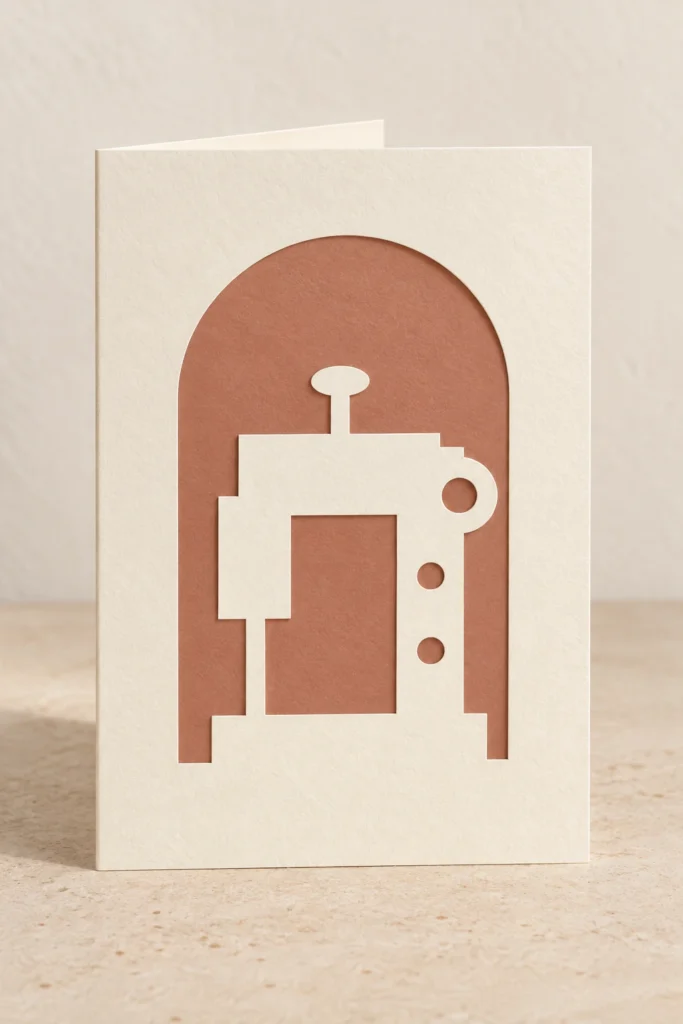
A maker-inspired motif. A note made personal.
Sewing machine card SVG.
A little paper sentiment.
Sewn Sentiment is an original sewing machine card SVG for a 100 × 150 mm folded greeting card. The flat base is 200 × 150 mm, with a separate 96 × 146 mm contrast insert. Choose the cut-only base for manual folding or the alternative base with an optional score line. The design includes no printed greeting, so you add your own message.
A sewing-inspired paper gesture.
Room for your own words.
Sewn Sentiment celebrates a familiar maker’s theme through a folded paper card. A separate contrast insert defines the cut details, and a blank interior gives your message a place of its own. Choose colours for a sewing enthusiast, a creative friend or someone whose handmade work you appreciate.
A positive sewing-machine silhouette includes a top spool, a left needle head and broad needle bridge, a right upright body and a round handwheel. The base joins the lower card border. One wheel-centre aperture and two round control apertures provide details; background apertures include the free space beneath the arm. This is decorative papercut artwork, not a functioning machine model.
The images illustrate a possible finish and setting. This is a digital download; physical cards or decorations, paper, adhesive, envelopes, tools, suspension supplies and styling props are not included.
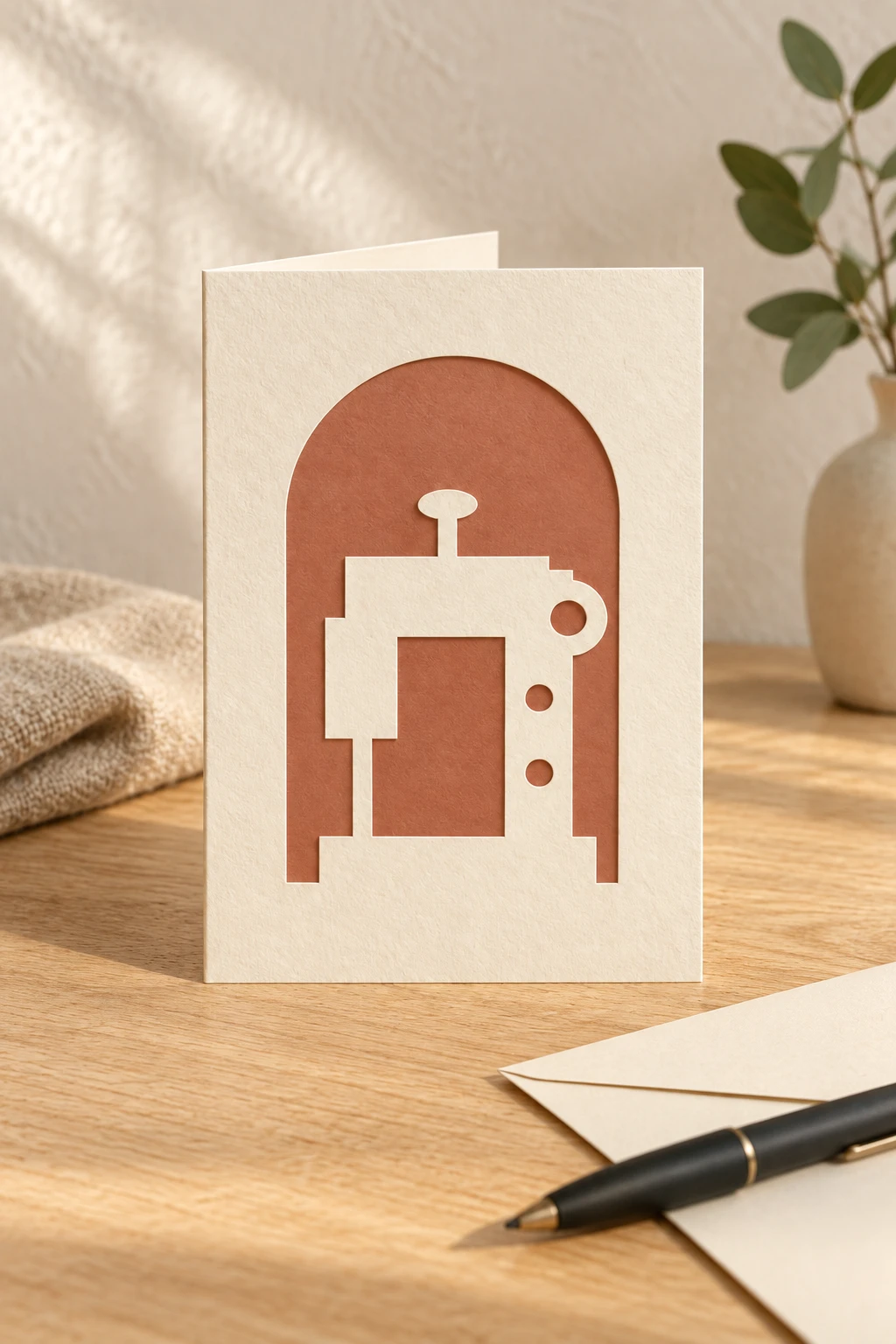
Cut paper details.
Your colours, your words.
| Included files | Three SVG files, one English README and 3 reference PNGs in one ZIP archive |
|---|---|
| Flat card base | 200 × 150 mm before kerf and folding |
| Folded card | 100 × 150 mm portrait, nominal |
| Contrast insert | 96 × 146 mm, with a nominal 2 mm inset inside the front panel |
| Fold position | 100 mm from the actual left edge of the flat base; the patterned front is the right half |
| SVG page sizes | 212 × 162 mm for either base; 108 × 158 mm for the insert; 6 mm page margins |
| Cut operations | 7 red (#FF0000) closed contours for one complete card: 6 in the selected base, including 5 internal openings, plus one insert boundary. Centered 0.025 mm strokes, no fill |
| Optional score operation | One blue (#0000FF) open fold path in the cut-and-score version only. Its page coordinate is x = 106 mm; this is 100 mm from the actual base edge |
| Alternative files | The two base SVGs repeat the same cut design. Choose one base version and the insert; cutting both bases makes a duplicate card |
| Design details | A positive sewing-machine silhouette includes a top spool, a left needle head and broad needle bridge, a right upright body and a round handwheel. The base joins the lower card border. One wheel-centre aperture and two round control apertures provide details; background apertures include the free space beneath the arm. This is decorative papercut artwork, not a functioning machine model. |
| Other operations | No engraving, fonts or raster artwork in the machining SVGs; no envelope template |
| Material planning | Plain, uncoated, foldable paper or cardstock approved for the exact machine and wavelength; no universal stock weight or thickness is specified |
| Product type | Digital download only; physical cards, paper, adhesive, envelopes, tools and styling props are not included |
| Product code | VD-SS-PC |
Cut with care.
Fold a note for a maker.
-
Choose a base and verify scale
Choose either
01-card-base-cut.svgor02-card-base-cut-score.svg, then use03-contrast-insert-cut.svg. Confirm the actual base outline is 200 × 150 mm and the insert is 96 × 146 mm; the document page includes margins. Keep both pieces at the same scale. -
Set cutting and optional scoring
Assign the 7 red contours in one selected base-and-insert set to vector Cut. If using the score version, assign the single blue line to a suitable scoring operation and run it before cutting. If the machine cannot score the chosen stock reliably, use the cut-only version and hand-score 100 mm from the base’s left edge. Do not cut the centre fold.
-
Fold and place the insert
Dry-fold the card and check the front motif. Position the 96 × 146 mm insert inside the front panel, with a nominal 2 mm inset. Use paper-appropriate adhesive only where solid surfaces overlap; keep it away from the fold and visible openings. Leave the inside back panel available for your message.
This design has not been physically test-cut, folded or assembled. Paper weight, grain direction, coatings, kerf and adhesive affect the result. Make a complete prototype in your chosen stock before a batch.
Before you make.
Clear cutting answers.
What is included with this sewing machine card SVG?
The ZIP includes 01-card-base-cut.svg, 02-card-base-cut-score.svg, 03-contrast-insert-cut.svg, README.txt and cut-map.png, assembled-reference.png, flat-reference.png. The two base files are alternatives, not two different card designs. Choose one base and the insert. Reference PNGs are for reading and previewing, not machining.
Does the card include a printed greeting or envelope?
No printed wording, greeting, font or envelope template is supplied. The pattern is cut into the front; the inside back panel remains available for your own message. Choose your own envelope to fit the finished card and its actual thickness.
Should I score or cut the blue fold line?
The blue line in 02-card-base-cut-score.svg is an optional score line, not a cut. Run a suitable scoring operation before cutting, or choose 01-card-base-cut.svg and hand-score the fold at 100 mm from the actual left edge of the base. No blue path exists in the cut-only file. Colour alone does not assign a machine operation.
Can I resize the card?
Scale the base and insert proportionally by the same factor. Recalculate the centre fold and insert inset, inspect all narrow connections and openings, and make a fresh prototype. At the supplied size, the actual base is 200 × 150 mm, the fold is 100 mm from its left edge, and the insert is 96 × 146 mm. Check the cut outlines rather than document page sizes.
How do I prepare the SVGs for Glowforge, xTool, Epilog or another laser?
Glowforge: Upload the SVG, check the actual cut dimensions and assign red contours to Cut. Check the optional blue path separately for scoring; never cut the fold.
xTool Studio/XCS: Import through software supported by your model. SVG import DPI can affect scale; verify dimensions and assign operations manually.
Epilog: Open the vectors in suitable graphics software. Preserve centered 0.025 mm strokes and output through the driver or Dashboard supported by your model.
Other CO₂/diode systems: For compatible controllers, LightBurn imports SVG. Verify vector operations, usable work area and stock approval for your actual machine and wavelength.
Which cardstock and laser settings should I use?
Use only plain, uncoated, foldable paper or cardstock approved for your exact laser and wavelength. Confirm coatings, dyes and adhesives with the stock supplier and machine guidance; do not assume a CO₂-approved stock is suitable for a diode system. Test the paper, cutting and any scoring, and follow the maker’s extraction, supervision and paper-holding instructions. No universal weight, thickness, power, speed or pass count is supplied. These files have not been physically test-cut, folded or assembled.
Can I sell finished cards I make?
Yes. Personal use and sales of finished physical cards you make are permitted. Do not resell, share, give away or redistribute the digital files, modified digital files or digital parts. Read the included guide for the usage terms. This is a digital download; materials and finished cards are not included.