
A slower pace by the water
A lakeside scene on a long plaque
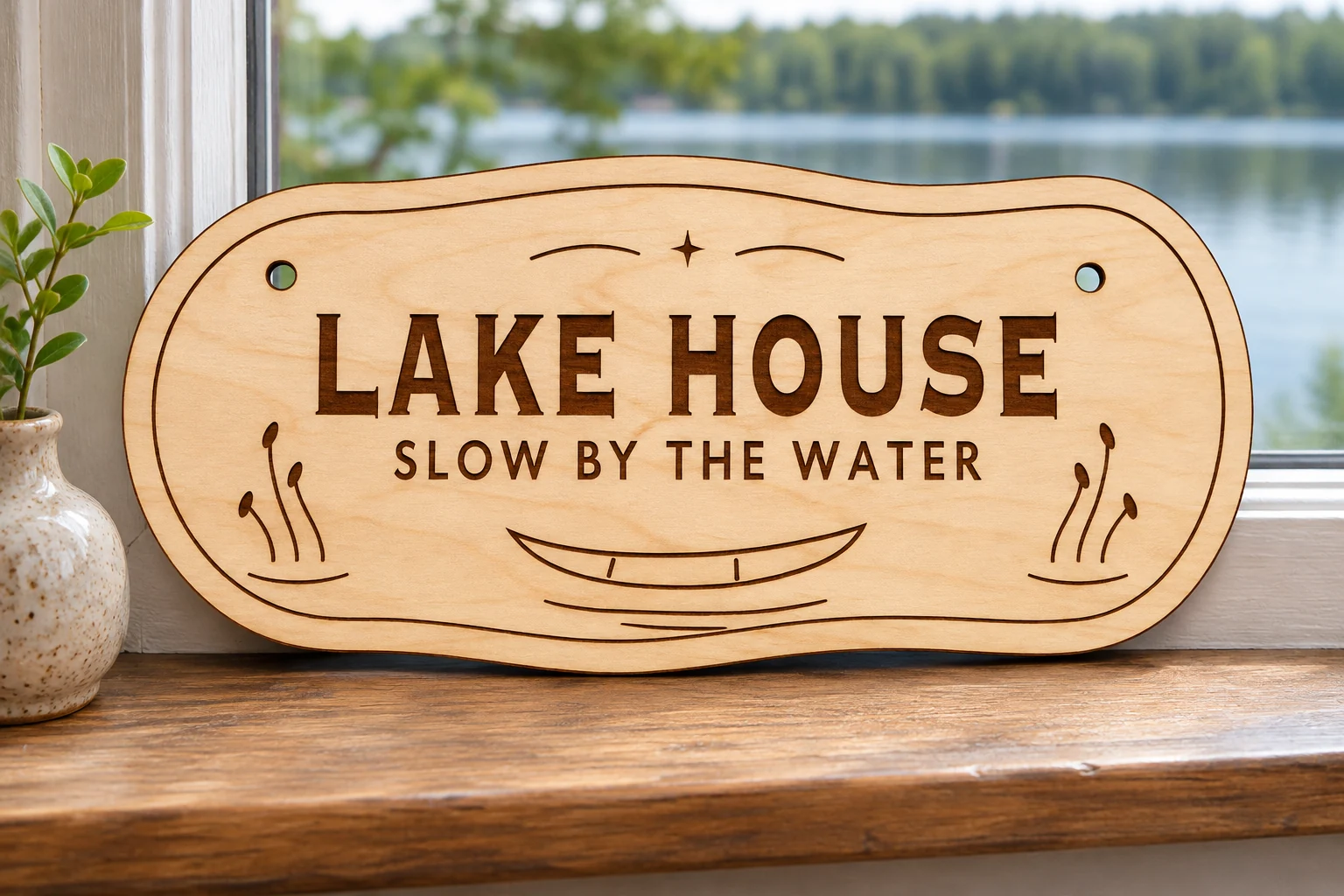
Quiet Mooring is a lake house sign SVG with a canoe, shoreline reeds and two lines of lettering. The wide plywood plaque pairs naturally with a cabin entry wall, lakeside room or shelf above a collection of outdoor keepsakes.
Words set along the shoreline
LAKE HOUSE anchors the wide design in bold serif capitals. The smaller SLOW BY THE WATER line keeps the message easy to read without crowding the scene. Reed silhouettes flank a canoe beneath the lettering. The slight waves along the cut edge and engraved rim pick up the curves below the boat.
The long profile makes the sign suitable for a shallow shelf or wall area where a round plaque might feel tall. Check your usable machine width before choosing stock and choose a protected place to display the finished wood.
Size, paths and mounting
| Digital files | sign.svg, README.txt and design-map.png in a ZIP |
|---|---|
| Cut profile | Wide plaque with a wave-edged profile, 236 × 105 mm at the supplied scale |
| SVG page | 246 × 115 mm |
| Mounting | Two round cut holes, each 5 mm in diameter at the supplied scale. Choose your own cord or hardware. |
| Red CUT | Three closed contours with centered 0.025 mm strokes. Two holes and one outer profile. |
| Black ENGRAVE | Filled artwork, inset border and outlined lettering for area engraving. |
| SKU | VD-QM-SIGN |
Dimensions describe the vector geometry before kerf. Allow the machine’s required clearance.
Set up the plaque
-
Confirm scale and stock
Extract the ZIP and import sign.svg at the supplied scale. Check the 236 mm outline width, full length of the cut and machine clearance. Keep the words, canoe, reeds and both holes aligned if you rotate the wide layout. Use uncoated plywood approved for your laser, including its glue and actual thickness. Test engraving, cutting and kerf on matching scrap.
-
Set each operation
Assign black fills to engraving and red paths to through-cutting. Where supported, engrave first, cut the holes next and release the outer profile last. Follow manufacturer instructions for exhaust, stock support and supervision.
-
Check the finished fit
Make a complete prototype and measure the holes. Select cord or fasteners to suit the finished weight and mounting surface. Fit hardware after processing.
The vector geometry was checked digitally. Test a physical sample on your machine. Set power, speed and passes for your equipment and material.
Import and prepare the SVG
Glowforge. Upload the SVG in the app supported by your model. Check the size, set red to Cut and set black to Engrave.
xTool Studio or XCS. Use the version supported by your machine. Check scale after SVG import, since import DPI can affect dimensions. Assign the closed red profiles to Cut and the filled black shapes to Engrave.
Epilog. Use Pulse SVG import on supported models and firmware. On a vector editor and Dashboard workflow, preserve the centered 0.025 mm strokes and check that the driver recognizes them as vector cuts. Keep black fills on the engraving process.
Other CO₂ or diode lasers. Check machine support for the plywood and its thickness. In supported software such as LightBurn, verify the millimeter dimensions and set red to a cutting Line layer and black to an engraving Fill layer. Preview the job and confirm the planned order.
Common questions
What is included in the download?
The ZIP contains sign.svg, README.txt and design-map.png. Process the SVG. The English guide explains setup and use, and the PNG shows the layout for reference. The download contains digital files only.
Will the lake house plaque fit my laser bed?
The outer profile spans 236 × 105 mm at the supplied scale. The SVG page is 246 × 115 mm. Compare the actual artwork width, required margins and fixture space with your machine’s usable bed. Rotate all paths together if you need to change orientation.
Can I use this file on Glowforge, xTool or Epilog?
Yes, through the supported import workflows above. For CO₂ or diode setups, check usable bed space and approved plywood thickness. Verify size and operation assignments before processing.
Can I resize it or sell finished signs?
Scale every path together and recheck engraving detail, hole diameter and edge clearance. You may sell finished signs you make. Keep the original and modified digital files for your own use. See the README for terms.