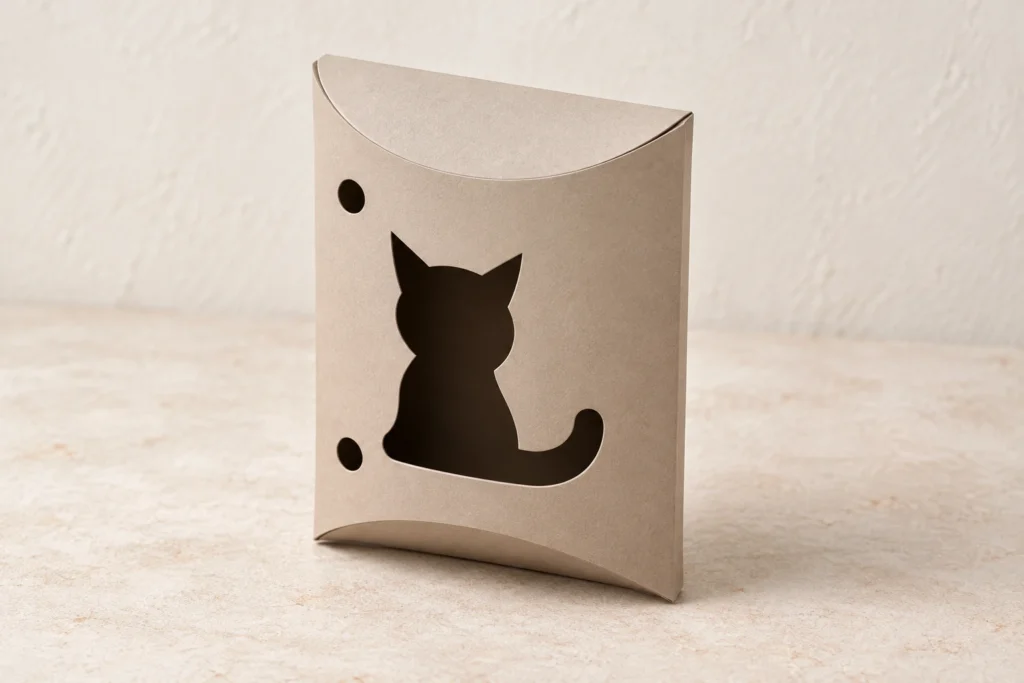
A quiet silhouette. A thoughtful parcel.
Cat pillow box SVG.
Give a small gift character.
Purr Parcel is an original cat pillow box SVG for flexible cardstock. The download includes an English preparation and assembly guide and an annotated fold map. Its one-piece net forms a glued side seam and four overlapping curved end flaps. Digital download only.
A curled tail.
A softly folded parcel.
Purr Parcel pairs a seated cat silhouette with the rounded form of a pillow box. Two pointed ears and a broad curled tail make the window readable without facial marks or whisker cuts. Two round apertures complete the front. The folded ends create the box’s shape, making this a considered choice for a little gift with a feline theme.
The front contains exactly three open decorative windows. A single side seam joins the two body panels; four curved end folds create overlapping flaps without a separate lid or locking tabs. The curves are part of the construction, so the formed width, depth and useful length depend on the stock and how it is creased.
The images illustrate a possible finish and setting. Digital files only; finished boxes, cardstock, adhesive, ribbon, contents, tools and styling props are not included.
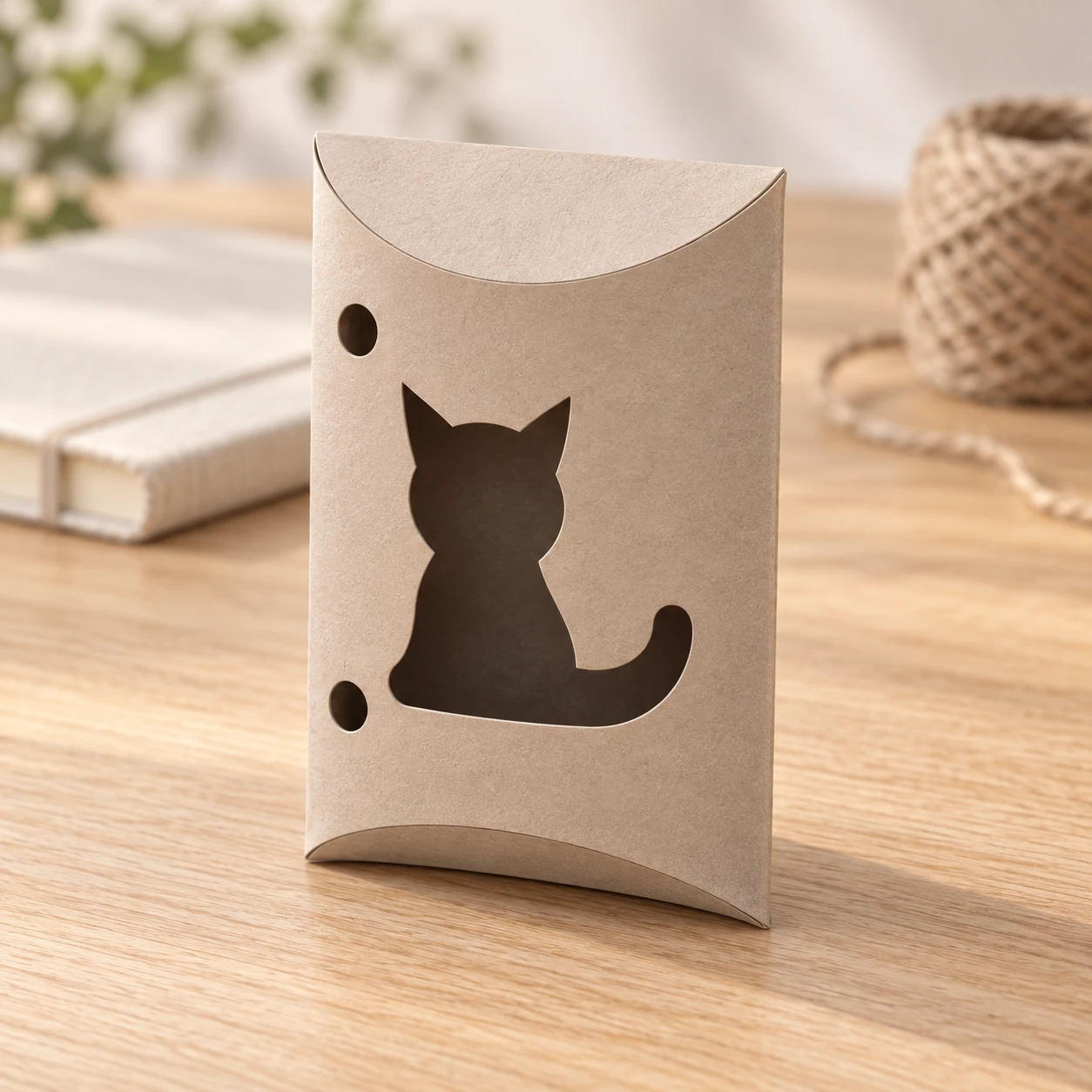
Two bowed panels.
Four curved end folds.
| Download | ZIP containing exactly three files: one combined SVG, an English README and one fold-map PNG |
|---|---|
| Nominal size | Each nominal flat body panel is 70 × 100 mm. These are flat panel dimensions, not a finished rectangular box size. Bowing the panels and closing the curved ends changes width, depth and usable length; no fixed finished capacity or gift fit has been established. |
| SVG page | 170 × 136 mm; allow additional machine-required edge and fixture space |
| Artwork bounds | 152 × 124 mm at path centerlines; confirm this after import |
| Operations | 4 closed red CUT paths; 6 open blue SCORE paths; no engraving. Both groups have no fill and centered 0.025 mm strokes. |
| Closure | Four curved end flaps overlap: fold the plain back flap first, then the decorated front flap at each end. There are no locking tabs or separate lid. An optional removable band may suit your contents; no band or ribbon is supplied. |
| Material | Flexible uncoated cardstock approved for your exact machine and laser wavelength; not rigid wood, plywood or acrylic construction |
| File construction | Path-based vectors without live fonts, raster content, linked images or SVG transforms; no machine preset supplied |
| Product code | VD-PP-PB |
Follow the curves.
Let the form take shape.
-
Prepare the vectors
Extract the ZIP, import the SVG at 100% and verify the artwork and panel dimensions. Assign red to through-cut and blue to a tested shallow surface score. Where supported, score first, cut inner apertures next and cut outer boundaries last. If a suitable shallow score is unavailable, disable the entire blue group and hand-crease from the fold map. Never through-cut the folds.
-
Keep the curved folds
Pre-crease the two straight side folds and all four curved end folds. Use a curved scoring guide for hand creasing; never replace the end curves with straight folds. Bow the panels smoothly without adding a crease across the cat window.
-
Close the pillow
Curl the panels into a tube and glue the right tab inside the front’s free left edge, aligning both ends of the 100 mm seam. After the adhesive cures, gently squeeze the long folds to bow the panels. At each end close the plain back flap first, then the decorated front flap. Check overlap without forcing or stretching the windows.
This design has not been physically test-cut, scored or assembled. Stock, creasing, adhesive and closure materials affect fit and strength. Make a complete prototype before making a batch; no universal machine settings or finished capacity are supplied.
A gentler fold.
Answers before you begin.
What files will I receive?
The ZIP contains exactly three files: purr-parcel-cat-pillow-gift-box.svg, README.txt and fold-map.png. The SVG is one combined machining layout with separate red CUT and blue SCORE groups. No cut-only or score-only alternative SVG is supplied. The PNG is an annotated assembly reference, not a machining image.
Is this a physical box, or a digital download?
This is a digital download only. The pictures illustrate a possible finished appearance and setting. No physical box, cardstock, adhesive, ribbon, inner wrap, contents, props, tools or machine settings are included.
What size is the box, and how does it close?
Each nominal flat body panel is 70 × 100 mm. These are flat panel dimensions, not a finished rectangular box size. Bowing the panels and closing the curved ends changes width, depth and usable length; no fixed finished capacity or gift fit has been established. Four curved end flaps overlap: fold the plain back flap first, then the decorated front flap at each end. There are no locking tabs or separate lid. An optional removable band may suit your contents; no band or ribbon is supplied.
Can I resize the design?
Keep every cut and fold path aligned and scale all geometry proportionally. Resizing changes windows, glue reach, folds and material allowances. Do not crop or break a connected net. Confirm the new physical dimensions and make a complete prototype in your chosen stock. Preserve the four curved end folds; flat panel sizes do not predict a fixed formed capacity.
How do I prepare it for Glowforge, xTool, Epilog or another laser?
Glowforge: Upload the SVG in the app supported by your exact model. Verify size; assign red to Cut and blue to a tested shallow Score, or Ignore blue for hand creasing.
xTool Studio / XCS: Import as SVG vectors. Studio import DPI and XCS automatic resizing can affect dimensions. Verify the net and panels. Assign red Cut and blue Score or disabled output; excess power or slow speed can still cut folds through.
Epilog: Use vector software and the driver or Dashboard supported by your model. For the documented Illustrator route, retain centered 0.025 mm strokes. Give red and blue separate tested through-cut and light-score settings using the supported mapping workflow.
Other CO₂/diode equipment: Confirm software and controller support. LightBurn imports SVG on supported systems; use separate Line layers for cutting and shallow scoring, or turn blue output off. Do not use Fill for folds. Confirm the preview, ordering, usable bed and approved stock for the exact machine and wavelength. SVG import alone does not establish material compatibility.
Which cardstock and settings should I choose?
Use flexible uncoated cardstock confirmed suitable by its manufacturer and your exact machine instructions. No universal gsm, thickness, power, speed or pass count is supplied. Check coatings and keep adhesive application until after laser processing. Test a scrap, then a full prototype. This design has not been physically test-cut, scored or assembled. Closure friction varies with stock and creasing. Use an optional separate band if your contents need extra retention. Small items can escape through the windows; add an appropriate separate inner wrap after processing if needed. This is decorative light-gift packaging; no shipping, moisture-barrier or load-rated performance has been established.
May I sell finished boxes made with this design?
Yes. Personal projects and sales of finished physical items you make are permitted. Do not resell, share, give away, sublicense or redistribute the SVG, guide, fold map, modified digital files or digital parts, including in another digital bundle. The included English README contains the usage terms.