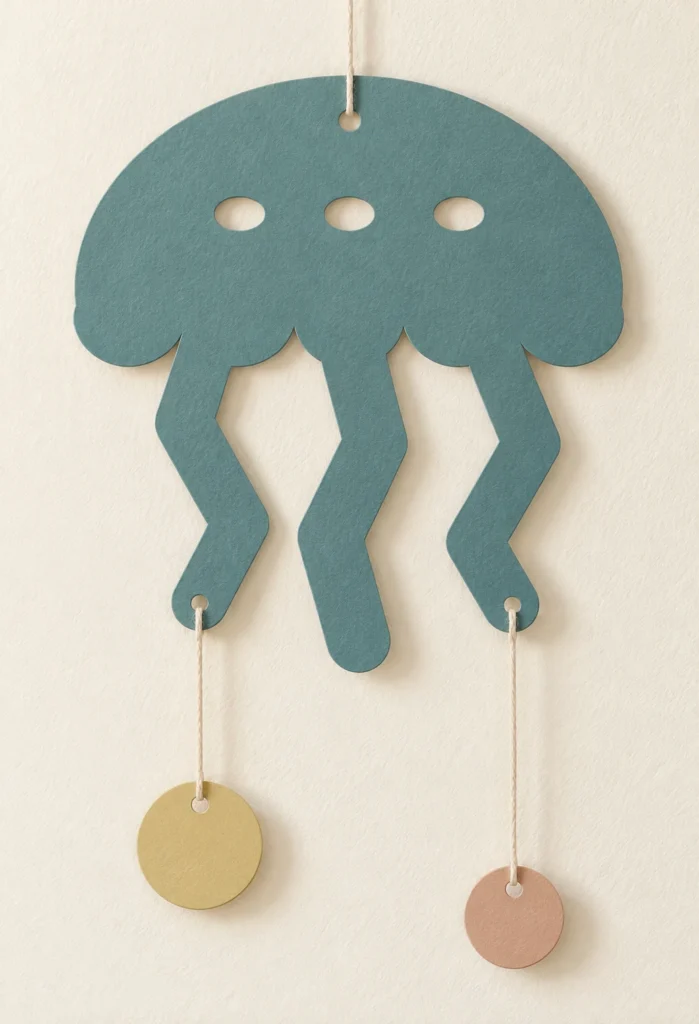
Sea-inspired forms. A gentle paper rhythm.
Jellyfish paper mobile SVG.
A little sea, in paper.
Driftline is an original jellyfish paper mobile SVG for 3 flat paper pieces: one jellyfish silhouette, one large bubble disk and one small bubble disk. Three SVG files supply the cut contours, with an English preparation guide and reference images. Use your own paper and cord, choose the spacing and assemble the display by hand. No fixed overall height is specified.
A sea-inspired composition.
Flat shapes with room to drift.
Driftline brings a jellyfish-inspired theme to a hanging paper display. Choose paper colours to suit your setting, then arrange the supplied cut pieces with your own suspension materials. The design offers a graphic starting point for a display assembled by hand.
One broad jellyfish bell and three wide rounded, wavy arms form a single flat paper silhouette. Three oval bell spots are cut-through apertures. One top suspension hole and two lower arm holes connect two separate bubble disk pendants, one larger than the other. There are no hairlike tentacles, folds or engraved details.
The images illustrate a possible finish and setting. This is a digital download; physical cards or decorations, paper, adhesive, envelopes, tools, suspension supplies and styling props are not included.
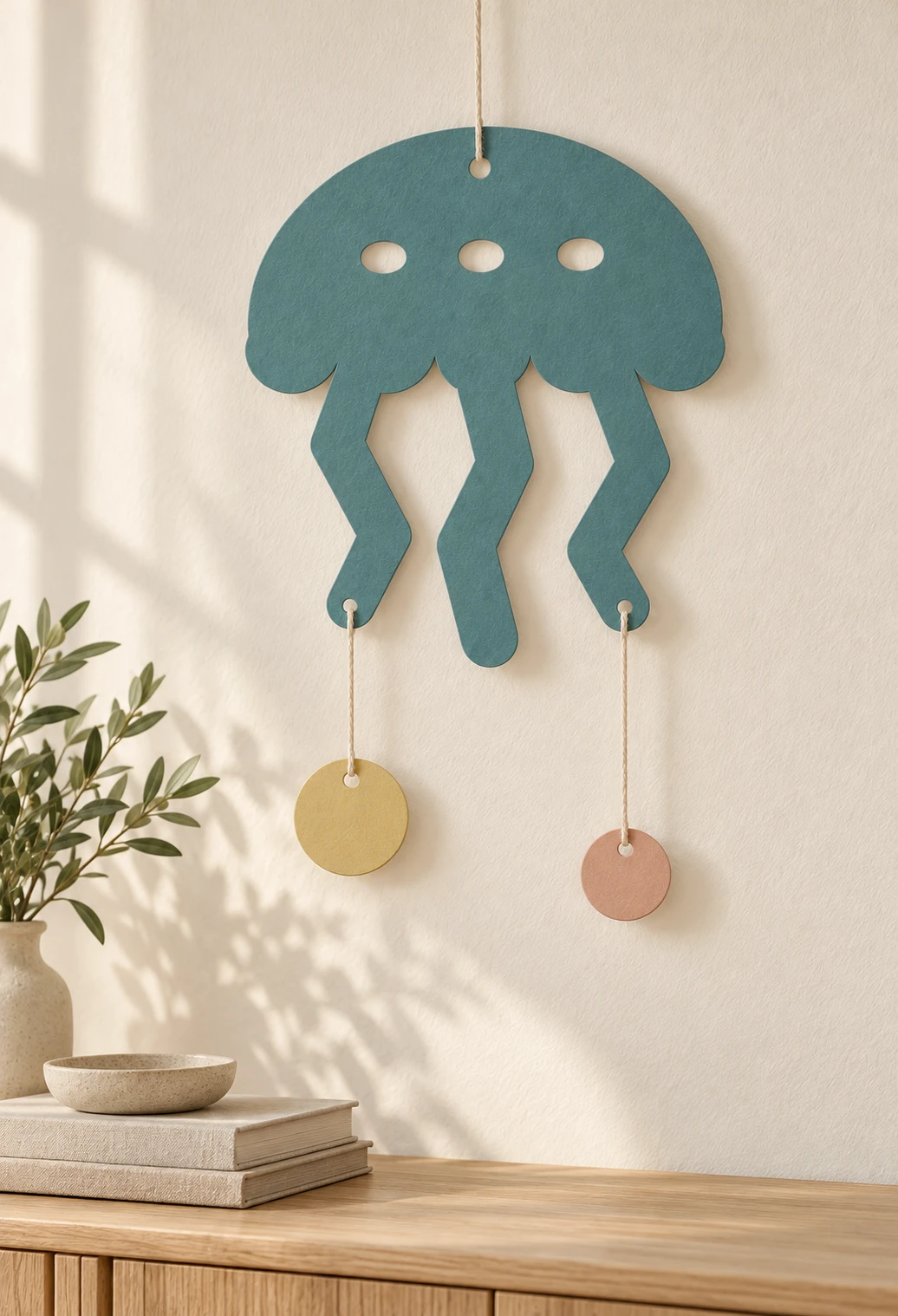
Cut paper pieces.
A display you arrange.
| Included files | Three SVG cutting files, one English README and 2 reference PNGs in one ZIP archive |
|---|---|
| Pieces in one set | 3 separate flat pieces: one jellyfish silhouette, one large bubble disk and one small bubble disk |
| Actual piece sizes (W × H) | Jellyfish: 120 × 130 mm; Large bubble: 26 × 26 mm; Small bubble: 20 × 20 mm; nominal before kerf and handling |
| SVG document pages | 01-jellyfish-cut.svg: 132 × 142 mm; 02-large-bubble-cut.svg: 38 × 38 mm; 03-small-bubble-cut.svg: 32 × 32 mm; 6 mm page margins |
| Cut operations | 11 red (#FF0000) closed cut contours per complete set; centered 0.025 mm strokes, no fill |
| Hanging and suspension holes | Five 3 mm nominal suspension holes per set: one at the top and two on the lower outer arms of the jellyfish, plus one in each bubble disk |
| Construction | Flat cut silhouettes; no folded sculpture, interlocking joinery, scoring or engraving |
| File use | Cut each of the three SVGs once to make one jellyfish and two separate bubble disks. The jellyfish bell and its three broad arms form one connected piece; the two bubble disks have different diameters. |
| Design details | One broad jellyfish bell and three wide rounded, wavy arms form a single flat paper silhouette. Three oval bell spots are cut-through apertures. One top suspension hole and two lower arm holes connect two separate bubble disk pendants, one larger than the other. There are no hairlike tentacles, folds or engraved details. |
| Arrangement and size | A jellyfish silhouette suspended above two separate bubble disks. Overall height, cord lengths, spacing and supports are chosen by the maker |
| Material planning | Plain, uncoated paper or cardstock approved for the exact machine and wavelength, with enough strength for the intended hanging display |
| Supplies to provide | Paper, suitable thin cord, tools and your own display support; none is supplied |
| Product type | Digital download only; physical decorations, paper, cord, adhesive, hardware and styling props are not included |
| Product code | VD-DJ-PM |
Prepare the shapes.
Compose the display.
-
Check the files and dimensions
Cut each of the three SVGs once to make one jellyfish and two separate bubble disks. The jellyfish bell and its three broad arms form one connected piece; the two bubble disks have different diameters. Check each actual piece size after import: Jellyfish: 120 × 130 mm; Large bubble: 26 × 26 mm; Small bubble: 20 × 20 mm. The document pages include margins. Preserve the common scale if you want the illustrated proportions.
-
Cut and release each piece
Map all 11 red contours to vector Cut, then preview the job. There are no score or engraving operations. Cut internal openings before releasing outer silhouettes where your software permits. Test the approved stock first and remove waste carefully without pulling narrow sections.
-
Arrange, tie and inspect
Suspend the jellyfish from its top round hole. Tie separate pieces of your own cord to the lower-left and lower-right arm holes, then connect each cord to the top hole of one bubble disk. The larger bubble is illustrated on the left and the smaller on the right. Choose the cord lengths and check balance and support; no fixed finished display height is supplied. Dry-arrange the complete display before installation. Select cord that passes through the holes without forcing or tearing them, and inspect your own knots, hole margins and display support.
This design has not been physically test-cut, assembled, strength-tested or mounting-tested. Paper, grain direction, kerf, cord tension and display support affect the result. Make a complete prototype and inspect your own suspension arrangement before gifting, selling or installation.
Before the display.
Clear making answers.
What is included with this jellyfish paper mobile SVG?
The ZIP includes 01-jellyfish-cut.svg, 02-large-bubble-cut.svg, 03-small-bubble-cut.svg, README.txt, cut-map.png, assembled-reference.png. Cut each of the three SVGs once to make one jellyfish and two separate bubble disks. The jellyfish bell and its three broad arms form one connected piece; the two bubble disks have different diameters. The PNGs explain dimensions and a possible arrangement; they are visual references, not machining files.
How are the paper pieces arranged?
Suspend the jellyfish from its top round hole. Tie separate pieces of your own cord to the lower-left and lower-right arm holes, then connect each cord to the top hole of one bubble disk. The larger bubble is illustrated on the left and the smaller on the right. Choose the cord lengths and check balance and support; no fixed finished display height is supplied. The layout is an illustrative option, rather than a fitted construction or a guarantee of display strength.
Are cord and mounting materials included?
Five 3 mm nominal suspension holes per set: one at the top and two on the lower outer arms of the jellyfish, plus one in each bubble disk. Provide your own suitable thin cord and display support. Check that the cord fits without force and that the paper holds the chosen arrangement. No cord, support bar, mounting hardware or finished display is supplied, and no load rating is specified.
Can I resize or repeat the motifs?
Yes. Keep related pieces at the same proportional scale to preserve the illustrated balance, and recheck every opening, narrow section and cord hole. The supplied sizes are Jellyfish: 120 × 130 mm; Large bubble: 26 × 26 mm; Small bubble: 20 × 20 mm. Changing scale also changes hole sizes and paper strength. Make a fresh prototype after resizing or changing the suspension arrangement.
How do I prepare the SVGs for Glowforge, xTool, Epilog or another laser?
Glowforge: Upload the SVG, check the actual cut dimensions and assign red contours to Cut.
xTool Studio/XCS: Import through software supported by your model. SVG import DPI can affect scale; verify dimensions and assign operations manually.
Epilog: Open the vectors in suitable graphics software. Preserve centered 0.025 mm strokes and output through the driver or Dashboard supported by your model.
Other CO₂/diode systems: For compatible controllers, LightBurn imports SVG. Verify vector operations, usable work area and stock approval for your actual machine and wavelength.
Which paper and settings should I use?
Use plain, uncoated paper or cardstock approved for your exact machine, wavelength and paper-holding method. Confirm unknown coatings, dyes and adhesives before processing. A CO₂-compatible stock is not automatically suitable for a diode laser. Follow the machine maker’s extraction and supervision instructions, and test your own stock. No universal weight, thickness, power, speed or pass count is supplied. The design has not been physically test-cut, assembled, strength-tested or mounting-tested.
Can I sell the paper decorations I make?
Yes. Personal use and sales of finished physical decorations you make are permitted. Do not resell, share, give away or redistribute the digital files, modified digital files or digital parts. Read the included guide for the usage terms. Paper pieces and hanging cords are decorative display materials; use your own suitable installation and keep them away from heat sources.