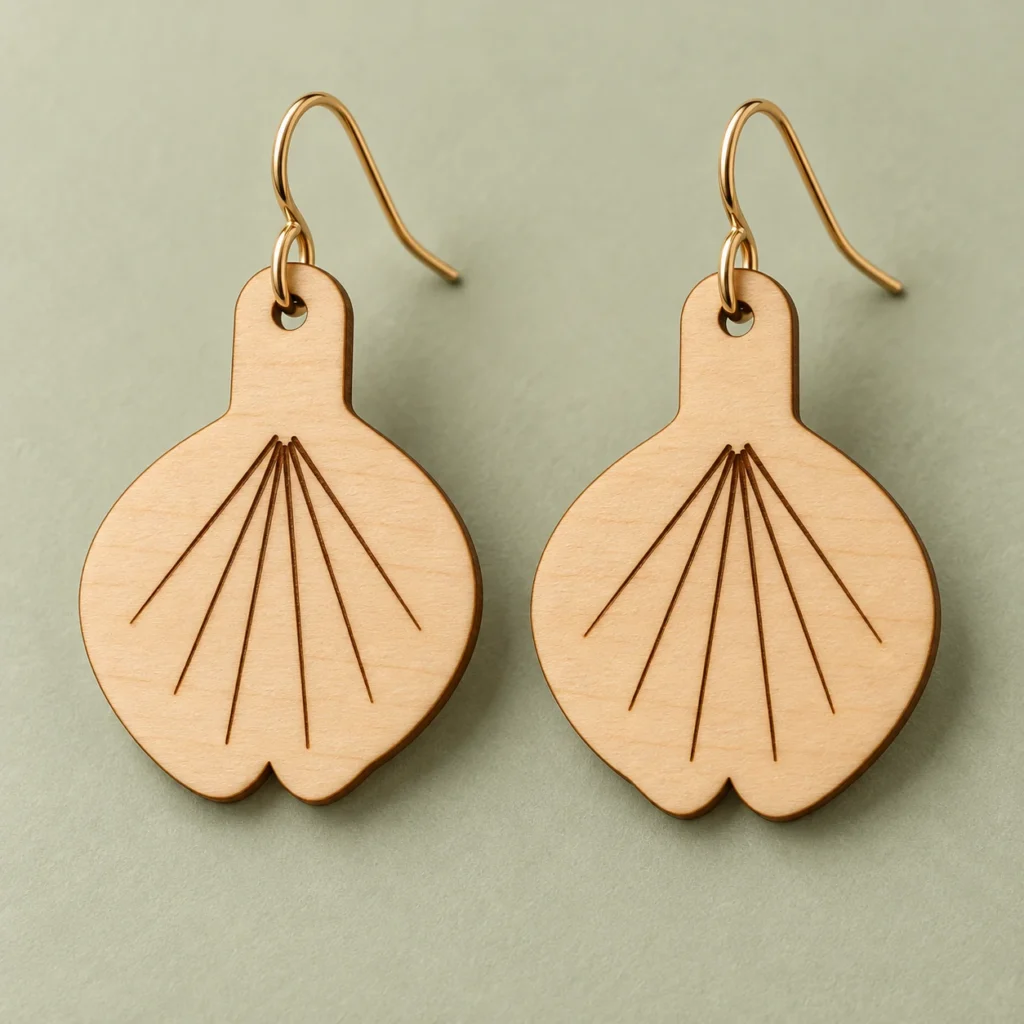
A small leaf. A flowing line.
Ginkgo leaf earrings SVG.
A little movement from nature.
Ginkgo Drift is an original ginkgo leaf earrings SVG for laser-approved thin sheet wood. A softly scalloped leaf fan hangs below a rounded stem, with six radiating vein marks on each blank. The supplied pair mirrors the leaf shape and engraving. The ZIP includes one SVG, an English preparation and finishing guide, and an annotated cut map. Each blank measures 28 × 39 mm before kerf and finishing; the original SVG page is 68 × 45 mm.
Fan-shaped leaves.
A graceful everyday detail.
Ginkgo Drift turns the distinctive spread of a ginkgo leaf into a pair of wood earring blanks. The broad, fan-shaped silhouette and fine radiating surface marks give the design its botanical character. Choose your own approved wood and findings for a warm natural finish or a colour treatment suited to your material.
Each leaf stays solid apart from its suspension hole. The six veins are slender filled shapes for surface engraving, rather than open slots. The second blank mirrors the asymmetric outline and vein positions. A rounded 8 mm hanging stem keeps the hole within the main form; its nominal minimum material rim is 2.75 mm before kerf and finishing.
The images illustrate a possible finished appearance. Finished jewelry, wood, finishes, findings, chains, cords and styling props are not included.
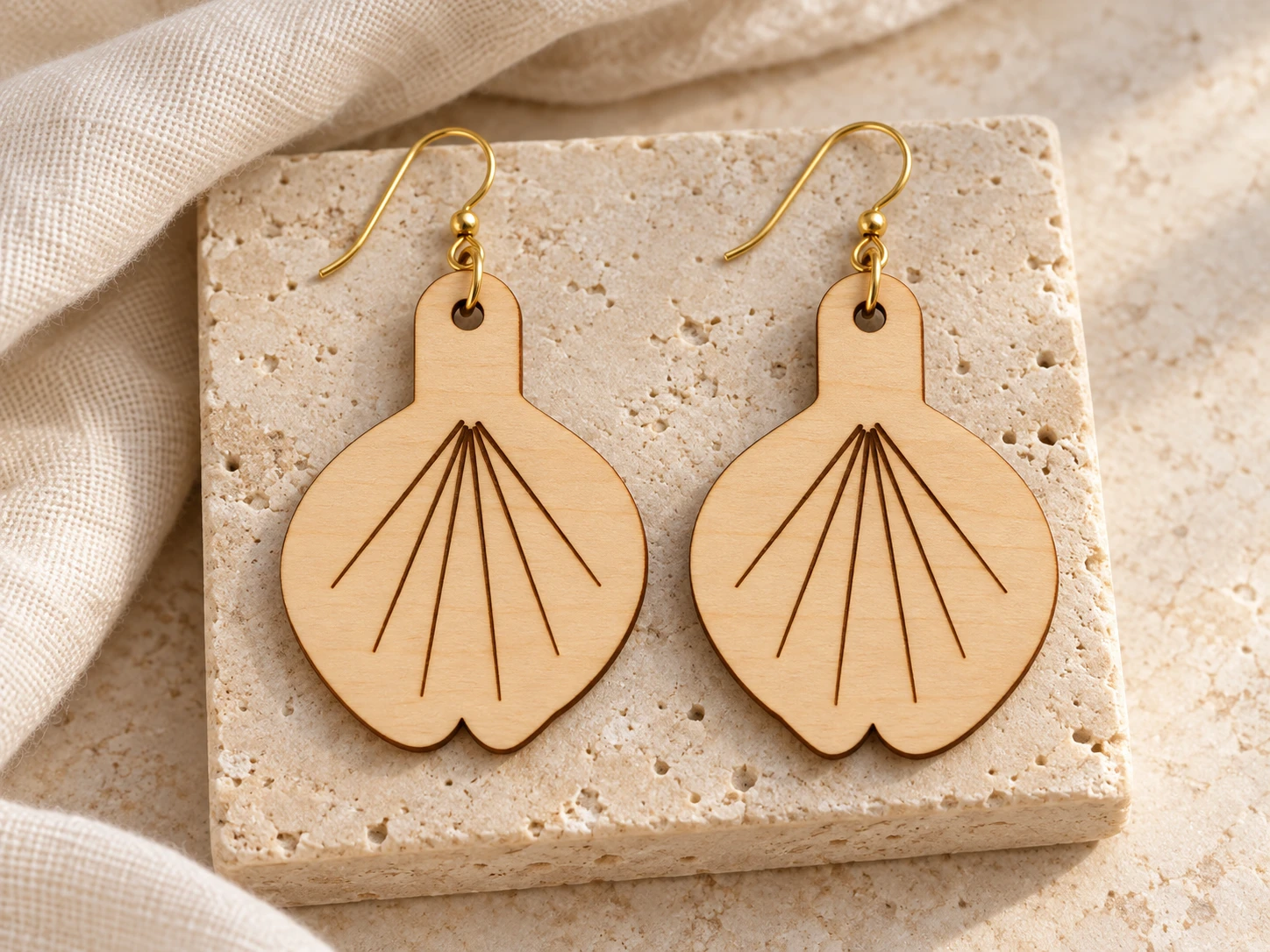
A mirrored pair.
Dimensions you can check.
| Included files | One scalable SVG vector file, one English README and one annotated cut-map PNG, packaged in a ZIP archive |
|---|---|
| SVG page | 68 × 45 mm at original scale |
| Artwork bounds | 62 × 39 mm before stroke width; confirm the usable machine work area |
| Blank size (W × H) | 28 × 39 mm before kerf and finishing; hardware is additional |
| Layout | Two mirrored, asymmetric leaf blanks; 6 mm between blanks; pair bounds 62 × 39 mm |
| Suspension hole | One 2.5 mm diameter hole per blank; 2.75 mm nominal minimum material rim before kerf |
| Narrow features | 8 mm wide rounded hanging stem; 2.75 mm nominal minimum hole rim. Vector dimensions are not strength guarantees |
| Cut operations | 4 red (#FF0000) closed contours: two leaf outlines and two suspension holes; centered 0.025 mm strokes with no fill |
| Engraving operations | 12 black (#000000) filled closed paths: six radiating vein marks on each leaf; filled surface engraving, not through cutting |
| Construction | Two separate single-piece blanks, no cut-through decorative windows, no loose decorative islands; separate CUT and ENGRAVE groups; no fonts or raster artwork |
| Intended material | Laser-approved thin sheet wood; illustrated 2–3 mm birch or walnut is an example only |
| Findings | User-supplied jump rings and earring hooks; verify fit against the finished hole, rim and stock thickness |
| Product type | Digital download only; finished jewelry, materials, findings and styling props are not included |
| Product code | VD-GD-ER |
Cut the leaves.
Add your own findings.
-
Verify the blank and hole
Extract the ZIP and import the SVG. Confirm the 68 × 45 mm page, 62 × 39 mm artwork and 28 × 39 mm size of each blank. Check the 2.5 mm hole and the 2.75 mm minimum rim in the guide and cut map. Keep each leaf’s filled vein marks aligned with its own mirrored outline.
-
Engrave before releasing the shape
Set the 12 black filled paths to shallow filled surface engraving. Set all 4 red contours to cutting. Engrave first, cut the suspension holes next, and release the outer silhouettes last where the software supports that order. Review the complete job preview; colour alone does not set the operation.
-
Inspect, finish and fit the hardware
Make a sample in your approved wood. Inspect the grain, hanging area and the 8 mm hanging stems; reject a cracked or weakened blank. Smooth and finish with methods suitable for the stock, then measure the finished hole. Fit jump rings and earring hooks that clear the actual wood thickness and hole rim. Recheck the finished assembly before use.
This design has not been physically test-cut, finished, assembled or wear-tested. Kerf, stock, grain, engraving depth and finishing affect fit and strength. No universal machine settings, finished weight or wearer-suitability claims are supplied.
From leaf to earring.
Plan your finishing details.
What files will I receive?
The ZIP contains ginkgo-drift-leaf-earrings.svg, README.txt and cut-map.png. The SVG holds the cut and filled-engraving artwork. The English guide covers dimensions, import preparation, finishing and usage terms. The cut map is a dimensioned reference image; use the SVG for machine operations.
What will I make?
One pair of earring blanks for laser-approved thin sheet wood. The file supplies two mirrored ginkgo leaves, with six engraved vein marks and one hanging hole per leaf. Each blank is 28 × 39 mm before kerf, sanding or finish, so this is not the finished earring drop. You supply the wood and finish, plus jump rings and earring hooks. This purchase supplies digital files rather than finished jewelry.
Are the leaf veins cut through the wood?
No. Six black filled vein marks per leaf are intended for shallow filled surface engraving. Only the outer leaf contours and the 2.5 mm suspension holes are cut through. The SVG has 4 red cut paths and 12 black engraving paths in total. Keep black shapes as filled engraving; cutting those vein outlines would change the construction.
How do I choose findings and resize the design?
The 2.5 mm hole is a nominal vector size. Measure the finished hole after cutting and finishing, and match ring wire to that opening. Choose ring inner diameter and opening range to clear the actual sheet thickness and the measured hole-to-edge distance at your attachment point. The nominal minimum hole rim is 2.75 mm before kerf; this alone does not determine ring size. Use jump rings and earring hooks; open and close findings correctly rather than forcing them through the wood.
Scale the complete design proportionally, including both operation groups. Keep the supplied pair arrangement when making one pair. Resizing also changes the 2.5 mm hole, the 2.75 mm minimum rim and every narrow feature. Recheck those dimensions after scaling, make a fresh sample and choose hardware for the resulting geometry.
How do I prepare this SVG for Glowforge, xTool or Epilog?
Glowforge: Upload the SVG, verify dimensions and work area, then assign red contours to Cut and black fills to Engrave. Review both operations for your model.
xTool Studio/XCS: Use software supported by your model. SVG import DPI can change scale; verify the blank dimensions. Assign red to Cut and black filled shapes to Engrave.
Epilog: In Illustrator, preserve the centered 0.025 mm red vector strokes and black fills. Set separate cutting and raster engraving processes through your exact model’s driver or Dashboard; check the preview.
Other CO₂/diode systems: If the controller is supported, import into LightBurn. Use red Line for cutting and black Fill for engraving. Review Preview; laser source alone does not establish compatibility.
Which wood and laser settings should I use?
Use laser-approved thin sheet wood. The illustrated 2–3 mm birch or walnut is an example, not a required or tested thickness. Confirm the actual wood, glues and coatings for your exact machine and wavelength with the supplier and material guidance.
Test engraving and cutting on scrap, then make a sample blank before a batch. Check grain, narrow features, hole edges and any cracking after finishing. No universal power, speed, pass count or finish is supplied. Follow your machine’s ventilation and supervision instructions. Materials and findings determine the finished weight, strength and wearer suitability.
Can I sell the physical earrings I make?
Yes. Personal projects and sales of finished physical earrings you make are permitted. Do not resell, share or redistribute the digital files or modified digital versions. See the README for the full usage terms. Wood, finishes, findings, tools and styling props are not included.